Module 01 · Introduction to design
What's possible in Adobe ExpressAdobe Express 的可能性
Let’s examine the features introduced in the previous lesson and apply them to a practice use case.
让我们回顾上一课中介绍的功能,并将它们应用到实际案例中。
Imagine you’re a content creator working with a small business that’s about to launch a new product. You want to create a cohesive and visually appealing social media campaign to generate buzz and attract potential customers. How can you do this with Adobe Express? Let’s take a look.
想象你是一名内容创作者,正在与一家即将推出新产品的中小企业合作。你希望创建一个统一且视觉上吸引人的社交媒体活动,以制造话题并吸引潜在客户。如何使用 Adobe Express 来实现这一点?让我们来看看。
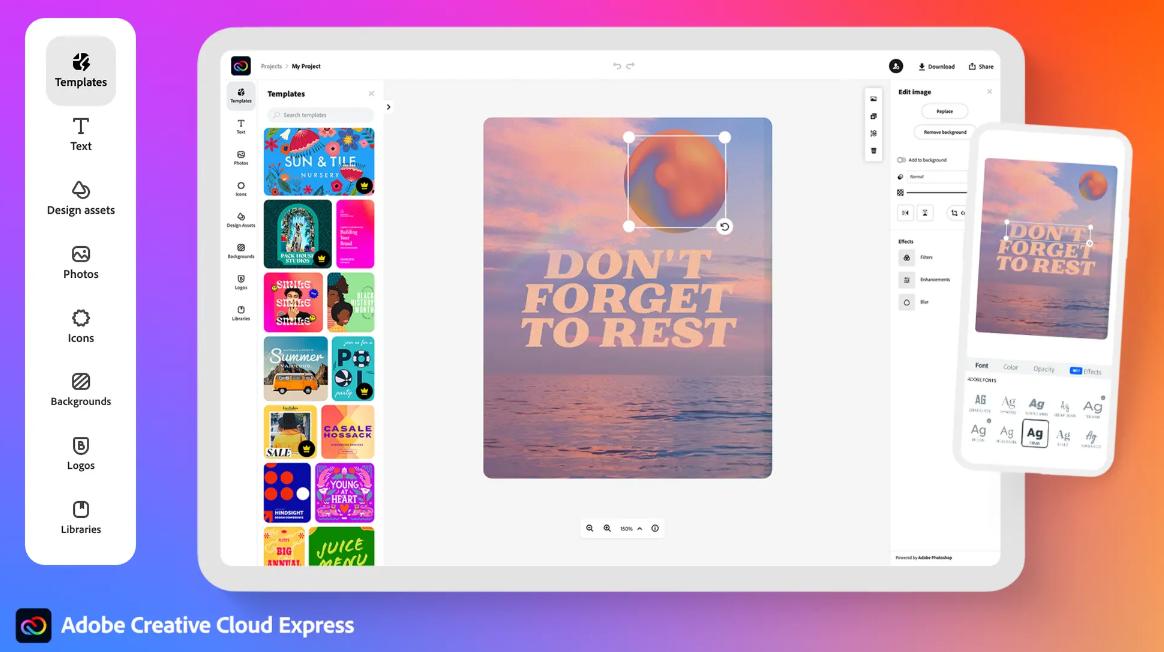
Step-by-step Use Case: 步骤分解用例
Step 1: Effortlessly Design a Brand Using the Brand Kit Feature
第一步:轻松使用品牌工具包功能设计品牌
- Start with the extensive library of professionally designed templates in Adobe Express. Choose a template that aligns with your brand’s aesthetic. This will ensure consistency across all social media posts, web pages, flyers, banners, and logos.
从 Adobe Express 中丰富的专业设计模板库开始。选择与您品牌美学相符的模板。这将确保所有社交媒体帖子、网页、传单、横幅和标志的一致性。 - Use the Brand Kit feature to upload the brand’s logo, select brand colors, and choose fonts. This will automatically apply the brand’s identity to all your designs, helping you maintain consistency across all content.
使用品牌工具包功能上传品牌标志、选择品牌颜色和字体。这将自动将品牌身份应用于所有设计,帮助您在所有内容中保持一致性。
Step 2: Create Engaging Imagery Using Adobe Firefly and Adobe Stock Photos
第二步:使用 Adobe Firefly 和 Adobe Stock 照片创建引人入胜的图像
- Use Adobe Express generative AI features, powered by Adobe Firefly, to create extraordinary and customizable images, templates, and text effects. The AI-powered features allow you to generate high-quality images with richer detail and enhanced prompt comprehension.
使用 Adobe Express 生成式 AI 功能,由 Adobe Firefly 提供支持,创建非凡且可定制的图片、模板和文字效果。AI 驱动功能让您生成具有更丰富细节和增强提示理解的优质图片。 - Access thousands of high-quality Adobe Stock photos, videos, music tracks, and sound effects directly from the Adobe Express editor. Enhance your designs with these assets, and then explore fonts and color palettes available through Adobe Fonts and Adobe Color.
访问成千上万的高质量 Adobe Stock 照片、视频、音乐曲目和音效,直接从 Adobe Express 编辑器中获取。用这些资源增强您的设计,然后探索通过 Adobe Fonts 和 Adobe Color 提供的字体和调色板。
Step 3: Scale your Brand Digitally with Content Schedule and Brand Controls
第 3 步:通过内容安排和品牌控制数字化扩展您的品牌
- Use brand controls and template-locking features to ensure that all content adheres to the brand’s guidelines. This will help you maintain consistency and prevent unauthorized changes to the design.
使用品牌控制和模板锁定功能,确保所有内容符合品牌指南。这将帮助您保持一致性,防止对设计的未经授权更改。 - Link your social media accounts to the Adobe Express Content Scheduler to simultaneously publish posts across multiple platforms. This feature allows you to handle multiple brands or profiles efficiently and it ensures that your campaign is well-coordinated.
将您的社交媒体账户链接到 Adobe Express 内容调度器,可同时在多个平台发布帖子。此功能让您能够高效地管理多个品牌或账号,并确保您的活动协调一致。
Step 4: Edit efficiently with Quick Actions
第 4 步:使用快速操作高效编辑
- Use Adobe Express Quick Actions to streamline your workflow. You can remove image backgrounds, convert file formats, and automate captions with a simple click. These tools save time and make the creation process effortless.
使用 Adobe Express 快速操作简化您的流程。您可以一键去除图片背景、转换文件格式和自动添加字幕。这些工具节省时间,使创作过程变得轻松。
Summary 摘要
By using these features, you can create a cohesive and visually appealing social media campaign that effectively generates buzz and attracts potential customers for the new product launch.
通过使用这些功能,您可以创建一个统一且视觉上吸引人的社交媒体活动,有效地制造话题并吸引潜在客户,为新产品的发布吸引注意。
All this is possible with Adobe Express!
所有这些都可以通过 Adobe Express 实现!