Module 02 · Asynchronous I/O with callback programming异步 I/O 与回调编程
Promises, Async/Await, and Axios Requests in Node.js and ExpressNode.js 与 Express 中的 Promise、Async/Await 和 Axios 请求
预计所需时间:20 分钟,
目标
在本次阅读中,您将学习到:
- Promises:处理 JavaScript 中异步操作的核心构建块
- Async/Await:用于处理 Promises 的现代且更易读的语法
- Axios:一个广泛使用的 HTTP 客户端,用于发起网络请求
介绍
JavaScript 的异步编程模型是开发响应迅速和高性能的 web 应用程序的基础。在 Node.js 和 Express 中,有效处理异步操作对于执行 API 请求、读取文件或查询数据库等任务至关重要。
1. Promise
Promise 是一个表示异步操作最终完成(或失败)及其结果值的对象。它允许您以更可读和可管理的方式链接操作。
1.1 Promise的状态
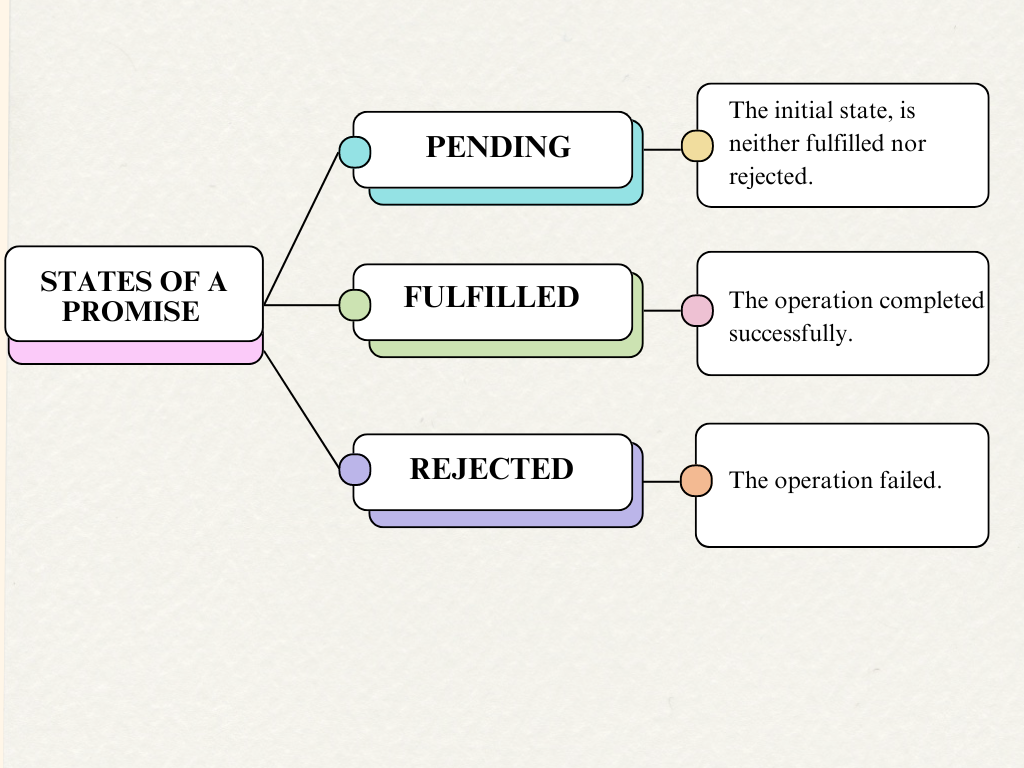
1.2 创建一个 Promise
要创建一个 Promise,您需要使用新的 Promise 构造函数,该构造函数接受一个具有两个参数的函数:resolve 和 reject。当异步操作成功完成时调用 resolve 函数,当失败时调用 reject 函数。
// Creating a new Promise object and assigning it to the variable myPromise
const myPromise = new Promise((resolve, reject) => {

  // Simulating a condition with a boolean variable 'success'
  let success = true;

  // If the condition is true, call resolve to mark the promise as fulfilled
  if (success) {
    resolve("The operation was successful!");
  } else {
    // If the condition is false, call reject to mark the promise as rejected
    reject("The operation failed!");
  }
});
1.3 使用 .then() 和 .catch() 处理 Promise
您可以使用 .then() 和 .catch() 方法处理解析的值或错误。这些方法也返回 Promise,允许您按顺序链式调用多个异步操作。
// Execute the promise and handle the fulfilled and rejected states
myPromise

  // Handle the resolved state of the promise
  .then((message) => {
    // This block will execute if the promise is resolved
    console.log(message); // "The operation was successful!"
  })

  // Handle the rejected state of the promise
  .catch((error) => {
    // This block will execute if the promise is rejected
    console.error(error); // "The operation failed!"
  });
1.4 示例:读取文件
这是一个使用 fs.promises 模块读取文件的示例。fs.promises 模块提供基于 Promise 的文件系统操作方法。
// Import the 'fs' module and use its promise-based methods
const fs = require('fs').promises;

// Read the content of the file 'example.txt' with 'utf8' encoding
fs.readFile('example.txt', 'utf8')

  // Handle the resolved state of the promise
  .then((data) => {
    // This block will execute if the file is read successfully
    console.log(data); // Print the file content to the console
  })

  // Handle the rejected state of the promise
  .catch((err) => {
    // This block will execute if there is an error reading the file
    console.error('Error reading file:', err); // Print the error message to the console
  });
2. Async/Await
正如您可能已经了解到的,JavaScript 是一种单线程脚本语言。这意味着过程只能顺序发生,两个过程不能同时进行。这对任何语言来说都是一个很大的障碍,而 JS 通过引入 Promise 的异步编程解决了这个问题。虽然 Promise 解决了同步编程的问题,但嵌套的 then 可能会使代码的结构和可读性变得复杂。
Async 和 Await 是对 Promise 的语法糖,使异步代码看起来更像同步代码,这样更容易阅读和编写。一个 async 函数返回一个 Promise,您可以在 async 函数内部使用 await 来暂停执行,直到 Promise 被解决或拒绝。
2.1 Async/Await 的好处
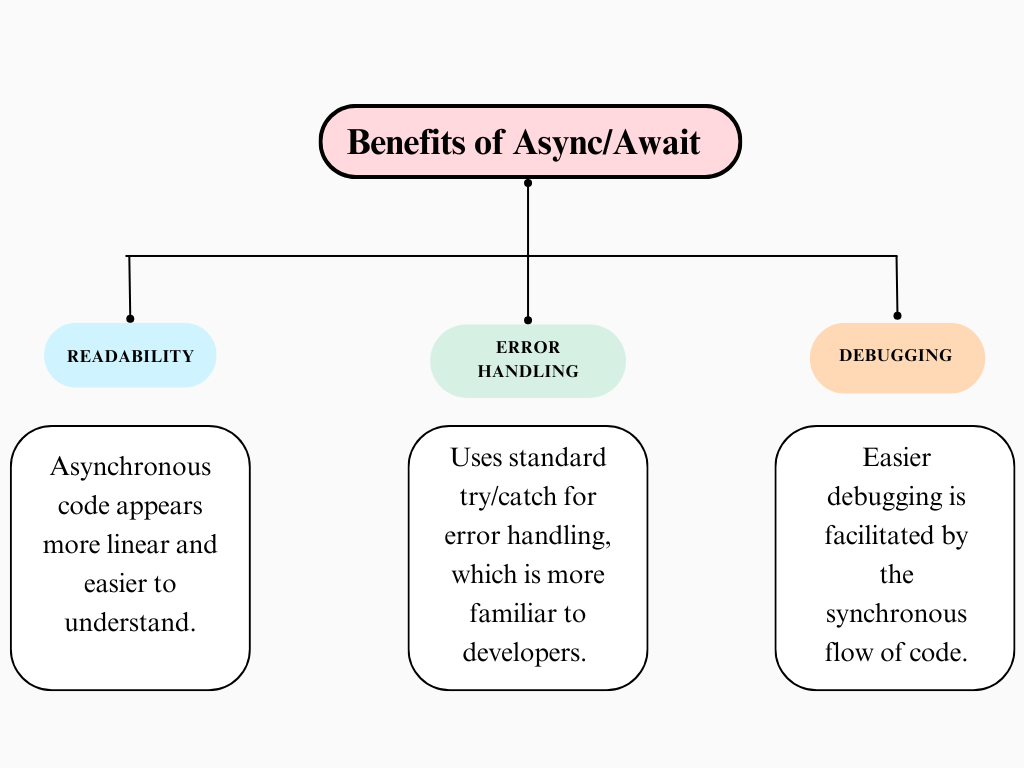
2.2 使用 async 和 await
一个 async 函数总是返回一个 Promise。在 async 函数内部,你可以使用 await 关键字来暂停执行,直到 Promise 被解决或拒绝。
// Async function that wraps the operation
async function myAsyncFunction() {
  // Simulating a condition with a boolean variable 'success'
  let success = true;

  // If the condition is true, resolve with a success message
  if (success) {
    return "The operation was successful!";
  } else {
    // If the condition is false, throw an error to simulate rejection
    throw new Error("The operation failed!");
  }
}
// Using async function to handle Promise
async function executeAsyncFunction() {
  try {
    // Await the async function call to get the result
    const result = await myAsyncFunction();
    console.log(result); // Output the result if successful
  } catch (error) {
    console.error(error.message); // Handle and output any errors
  }
}

// Call the async function to execute
executeAsyncFunction();
这个示例展示了如何使用 async 和 await 简化 JavaScript 中的异步编程。async 函数 myAsyncFunction 模拟了一个条件操作,如果条件满足则返回成功消息,否则抛出错误。executeAsyncFunction 使用 await 调用 myAsyncFunction,并通过 try 和 catch 处理结果或任何错误。这种方法使代码比使用 .then() 和 .catch() 链处理 promises 更易于阅读和理解。
3. Axios 请求
Axios 是一个基于 Promise 的 HTTP 客户端,适用于浏览器和 Node.js。它使发送异步 HTTP 请求到 REST 端点和执行 CRUD 操作变得简单。Axios 自动转换 JSON 数据,并提供干净且简单的 API。
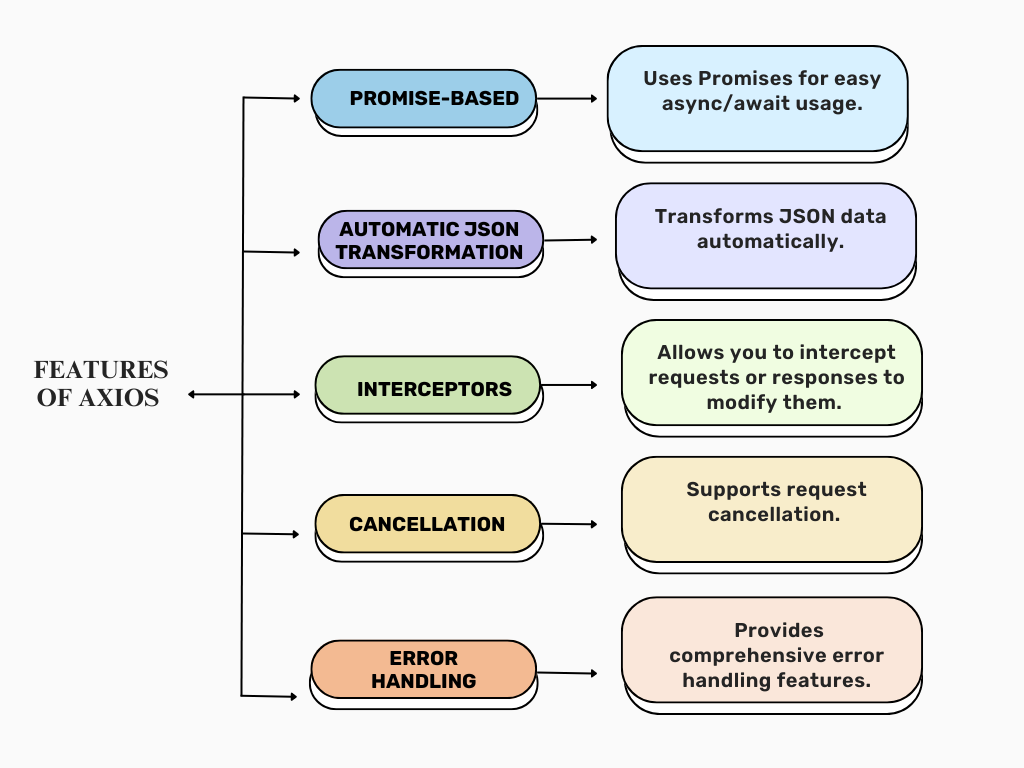
3.1 Axios的使用方法
- 您可以使用以下命令安装Axios:
npm install axios
- 发起 GET 请求
- Axios 简化了 HTTP GET 请求的过程。以下是如何从公共 API 获取数据:
// Import the axios library

const axios = require('axios');

// Using the axios.get method to make a GET request to the specified URL.

axios.get('https://api.example.com/data')

  // If the request is successful, the `.then` block is executed.

  .then(response => {
    // The response object contains the data returned from the server.
    // We log the `data` property of the response to the console.

    console.log(response.data);
  })

  // If there is an error during the request, the `.catch` block is executed.

  .catch(error => {

    // We log an error message to the console along with the error object.
    // This helps in debugging and understanding what went wrong with the request.

    console.error('Error fetching data:', error);
  });
- axios.get 方法返回一个 Promise,解析为响应对象,允许你通过
response.data访问数据。
- 发起 POST 请求:
- 要向服务器发送数据,请使用 POST 请求:
// Import the axios library.

const axios = require('axios');

// Data to be sent in the POST request. This is a JavaScript object containing the user information.
const data = {
  name: 'John Doe',
  age: 30
};

// Using the axios.post method to make a POST request to the specified URL with the data object.
axios.post('https://api.example.com/users', data)

// If the request is successful, the `.then` block is executed.
  .then(response => {

// The response object contains the data returned from the server.
// We log a message along with the `data` property of the response to the console.

    console.log('User created:', response.data);
  })
  // If there is an error during the request, the `.catch` block is executed.

    .catch(error => {
    // We log an error message to the console along with the error object.
    // This helps in debugging and understanding what went wrong with the request.

    console.error('Error creating user:', error);
  });
- 这个代码片段演示了使用 axios 进行 HTTP POST 请求以及处理响应和错误的基本用法。
- 示例:使用 Async/Await 和 Axios
将 async/await 与 Axios 结合使用提供了一种清晰的方法来处理 HTTP 请求:
const axios = require('axios'); // For Node.js, or include via CDN for browser

// Asynchronous function to post data to an API
async function postData() {
  try {
    // Await the response from the Axios POST request
    let response = await axios.post('https://jsonplaceholder.typicode.com/posts', {
      title: 'foo', // The title of the post
      body: 'bar',  // The body/content of the post
      userId: 1     // The user ID associated with the post
    });

    // Log the response data to the console
    console.log(response.data);
  } catch (error) {
    // If there is an error, log the error message to the console
    console.error('Error posting data:', error);
  }
}

// Call the async function to execute the request
postData();
在这里,await 会暂停函数的执行,直到 POST 请求完成,结果在 try 块内处理。
摘要
在本次阅读中,您了解了 Node.js 和 Express 中异步编程的基本概念,重点介绍了 Promises、async/await 语法和 Axios HTTP 客户端。Promises 提供了一种处理异步操作的方法,使代码更具可读性和易于管理,因为它允许操作的链式调用。async/await 语法建立在 Promises 之上,使您能够编写类似于同步代码的异步代码,从而简化异步任务的处理。最后,您探索了如何使用 Axios 发起 HTTP 请求,这对于与外部 API 和服务进行交互至关重要。通过掌握这些概念,您可以编写更高效和可维护的异步代码,这对于构建健壮的 web 应用程序至关重要。