Module 01 · Vocal Styles and Tone Quality嗓音风格与音色质量
Submitting Your Projects项目提交
Uploading a Link to the Discussion Forums 上传链接至讨论论坛
This class requires you to upload links to an .mp3 file. There are many different ways to do this but we recommend using SoundCloud. To obtain these links, you will need to sign up for a free account.
本课程要求您上传.mp3 文件的链接。有多种不同的方法可以实现,但我们建议使用 SoundCloud。要获取这些链接,您需要注册一个免费账户。
SoundCloud for .mp3 SoundCloud for .mp3 声云.mp3
1. Sign-in or Create an Account 1. 登录或创建账户
After you have recorded your music as an .mp3 on your recording software, go to the website SoundCloud and sign-in or create an account following the instructions on the website.
在您使用录音软件将音乐录制为.mp3 格式后,前往 SoundCloud 网站,根据网站上的说明进行登录或创建账户。
You can sign-in or create an account here
您可以在此处登录或创建账户.

2. Click the "upload" button 2. 点击“上传”按钮
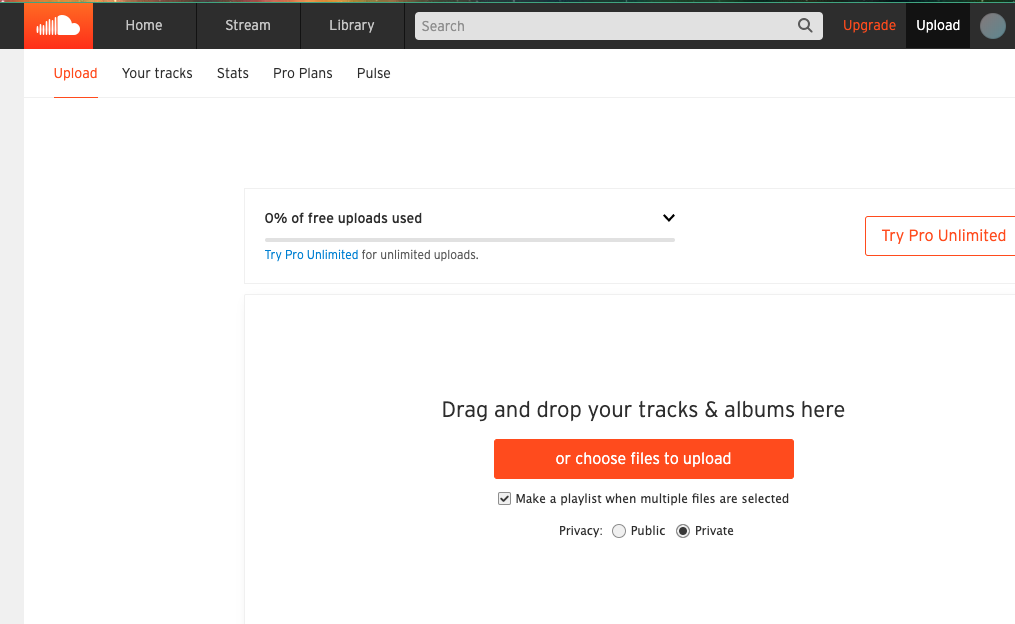
Once you have signed-in or created an account, you will see an Upload button located near the top right of your screen. You will be prompted to either drag and drop your .mp3 file into the upload box OR to choose a file to upload. Find your desired .mp3 and upload it into SoundCloud.
一旦您登录或创建账户,您将在屏幕右上角看到上传按钮。系统会提示您将.mp3 文件拖放到上传框中,或者选择一个文件进行上传。找到您想要的.mp3 文件并将其上传到 SoundCloud。
3. Permissions 3. 权限
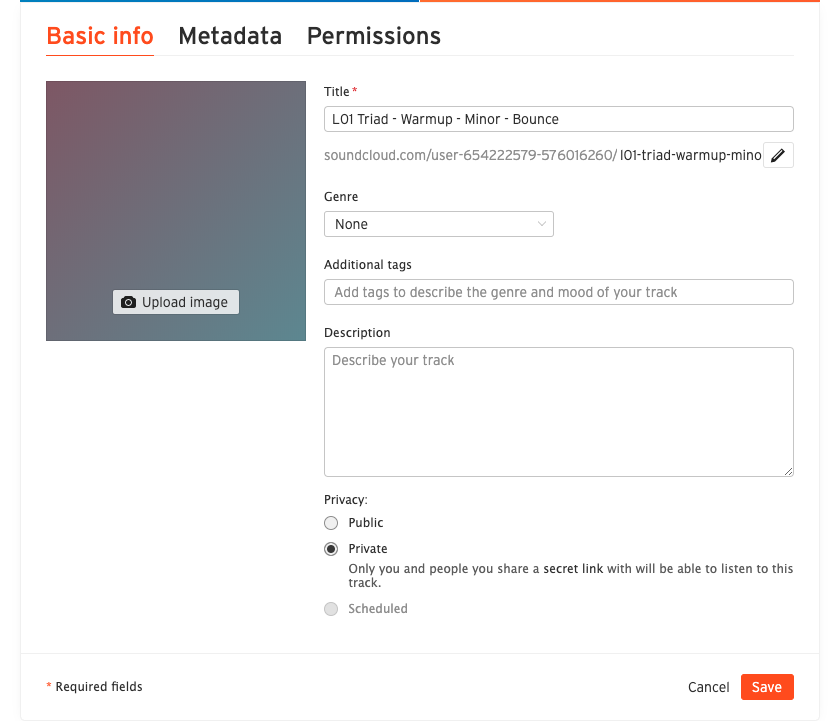
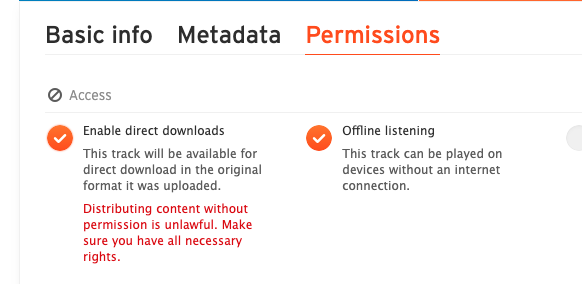
As your .mp3 is uploaded, you will see a permissions tab appear near the upper-right side of the window. Open this tab and select "Enable Downloads". This will allow your peers to download your .mp3 file.
当您上传.mp3 文件时,您将在窗口右上角看到权限标签页。打开此标签页并选择“启用下载”。这将允许您的同伴下载您的.mp3 文件。
Click SAVE before leaving the Permissions tab.
在离开权限选项卡之前,请点击“保存”。
4. Copy the Provided Link 4. 复制提供的链接
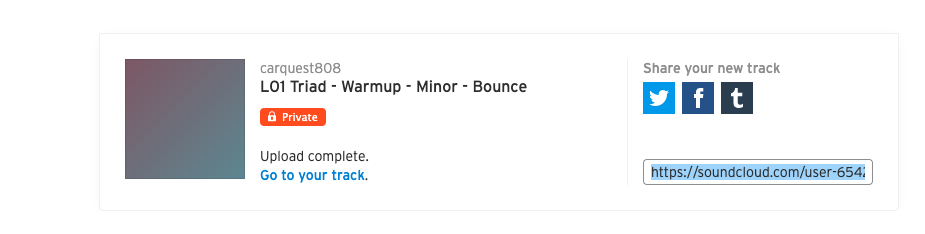
When your .mp3 is finished uploading, you will find a "share Your New Track" section in the middle of the page. Select the link and copy and paste it to your discussion post.
当您的.mp3 上传完成时,您将在页面中间找到“分享您的最新曲目”部分。选择链接并将其复制粘贴到您的讨论帖子中。