Module 01 · Containers and Containerization
[Optional] Lab: Creating an IBM Cloud Container Registry Namespace[可选] 实验:创建 IBM 云容器注册中心命名空间
Objectives 目标
After completing this lab, you will be able to:
完成此实验后,您将能够:
- Describe the IBM Cloud Container Registry service
描述 IBM Cloud 容器注册服务 - Create a Container Registry namespace
创建容器注册命名空间
Lab Overview 实验概述
In this lab you will create an IBM Cloud Container Registry namespace, which you will use in a subsequent labs.
在本实验中,您将创建一个 IBM Cloud 容器注册命名空间,该命名空间将在后续实验中使用。
Pre-requisites 先决条件
You will need an IBM Cloud account to do this lab. If you have not created one already, click on this link and follow the instructions to create an IBM Cloud account.
完成此实验需要拥有一个 IBM Cloud 账户。如果您还没有创建,请点击此链接并按照说明创建一个 IBM Cloud 账户。
About IBM Cloud 关于 IBM Cloud
The IBM Cloud platform is deployed across data centers around the world. It combines platform as a service (PaaS) with infrastructure as a service (IaaS) to provide an integrated experience. The platform scales and supports both large enterprise businesses and small development teams and organizations.
IBM Cloud 平台在全球数据中心部署。它结合了平台即服务(PaaS)和基础设施即服务(IaaS),提供集成体验。该平台可扩展,支持大型企业业务以及小型开发团队和组织。
The platform is built to support your needs, whether it’s working only in the public cloud or taking advantage of a multicloud deployment model. IBM Cloud offers a variety of services, including Compute, Network, Storage, Management, Security, Databases, Analytics, AI, and Cloud Paks.
该平台旨在支持您的需求,无论是仅使用公共云还是利用多云部署模型。IBM Cloud 提供多种服务,包括计算、网络、存储、管理、安全、数据库、分析、人工智能和云 Pak。
About IBM Cloud Container Registry namespaces 关于 IBM Cloud 容器注册中心命名空间
IBM Cloud® Container Registry provides a multi-tenant, encrypted private image registry that you can use to store and access your container images in a highly available and scalable architecture. The namespace is a slice of the registry to which you can push your images. The namespace will be a part of the image name when you tag and push an image. For example, us.icr.io/<my_namespace>/<my_repo>:<my_tag>.
IBM Cloud® 容器注册中心提供了一个多租户、加密的私有镜像注册中心,您可以使用它在一个高可用性和可扩展的架构中存储和访问您的容器镜像。命名空间是注册中心的一部分,您可以将镜像推送到该命名空间。在您标记并推送镜像时,命名空间将作为镜像名称的一部分。例如, us.icr.io/<my_namespace>/<my_repo>:<my_tag> 。
Create a Container Registry namespace 创建容器注册中心命名空间
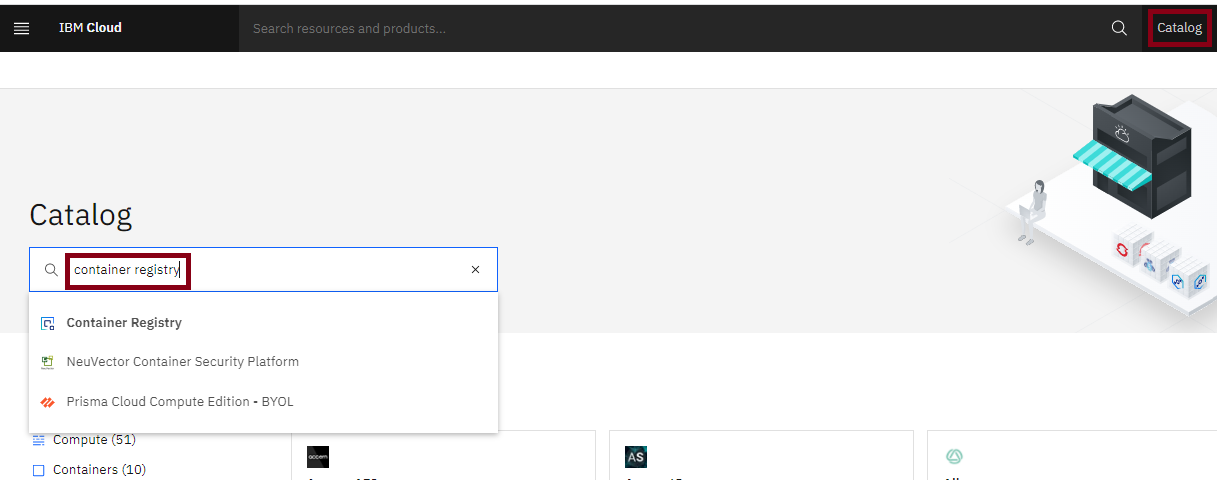
- Go to the IBM Cloud catalog page.
前往 IBM Cloud 目录页面。 - In the Catalog search box, type
Container Registry.
在目录搜索框中,输入Container Registry。
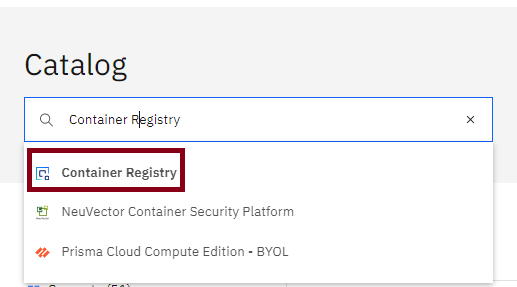
- Click on Container Registry in the search results.
在搜索结果中点击 Container Registry。
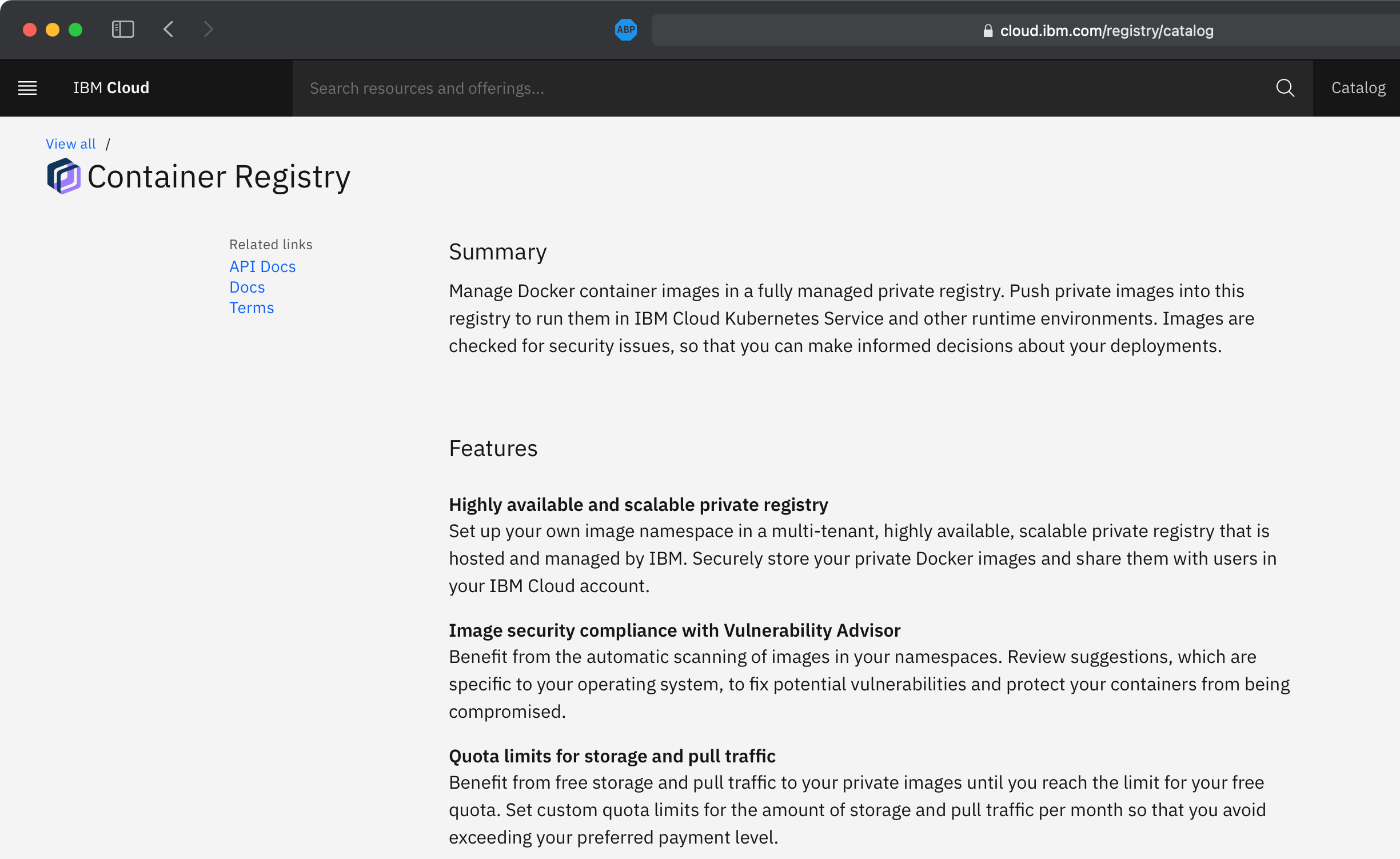
- You can now read about the Container Registry service and visit links for API documentation and docs about how to use the service.
现在您可以了解 Container Registry 服务,并访问 API 文档链接以及关于如何使用该服务的文档。
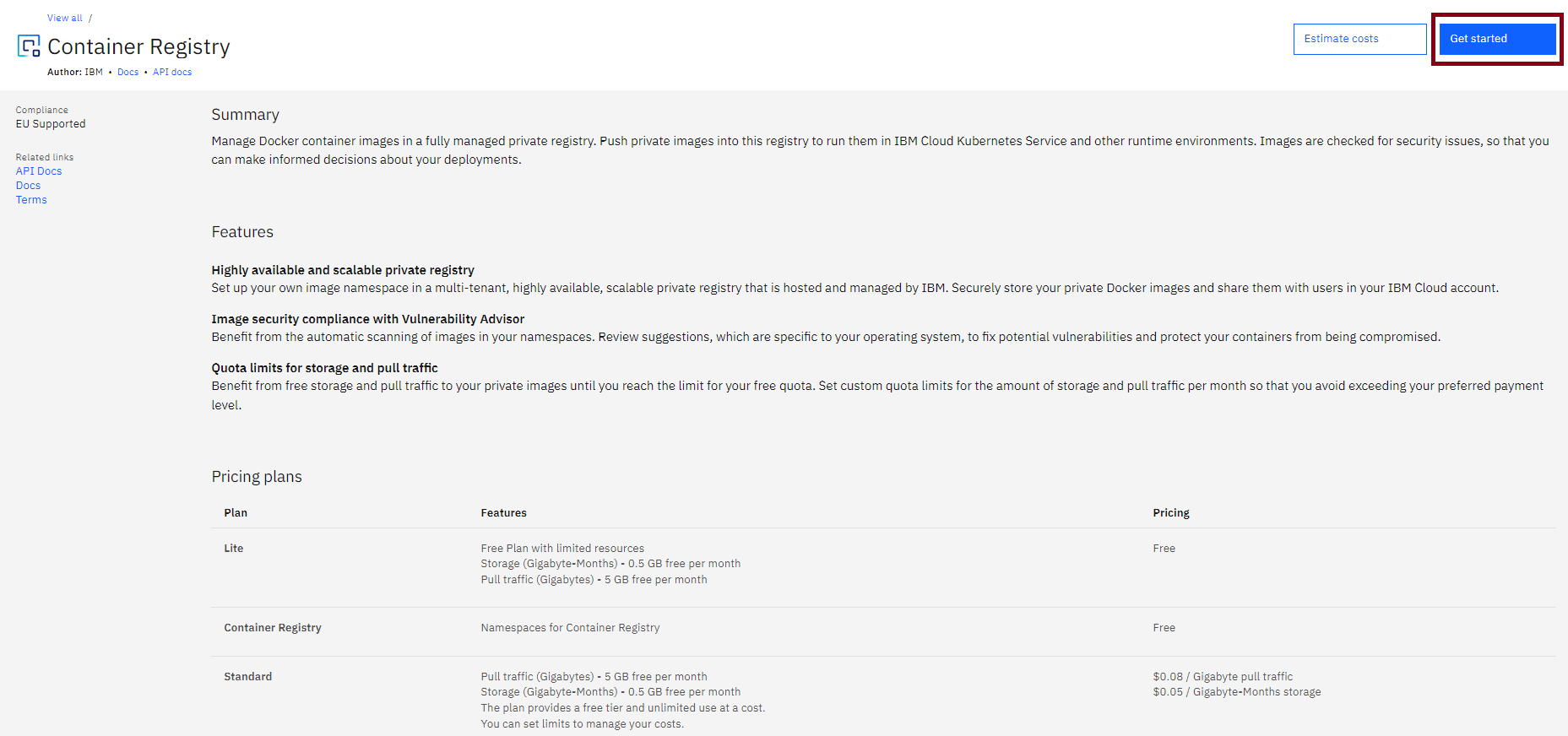
- At the top right, click Get started.
右上角点击“开始使用”。
- Ensure that the location is set to Dallas.
确保位置设置为达拉斯。
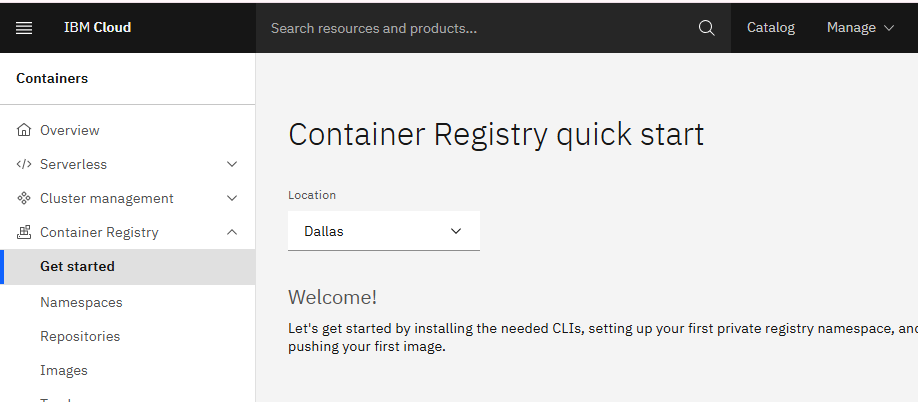
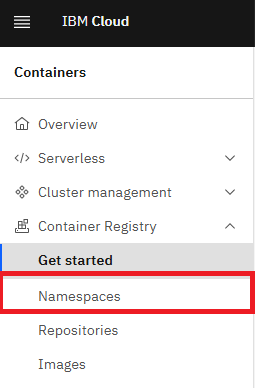
- On the left hand side panel, click the Namespaces tab.
在左侧面板中,点击“命名空间”选项卡。
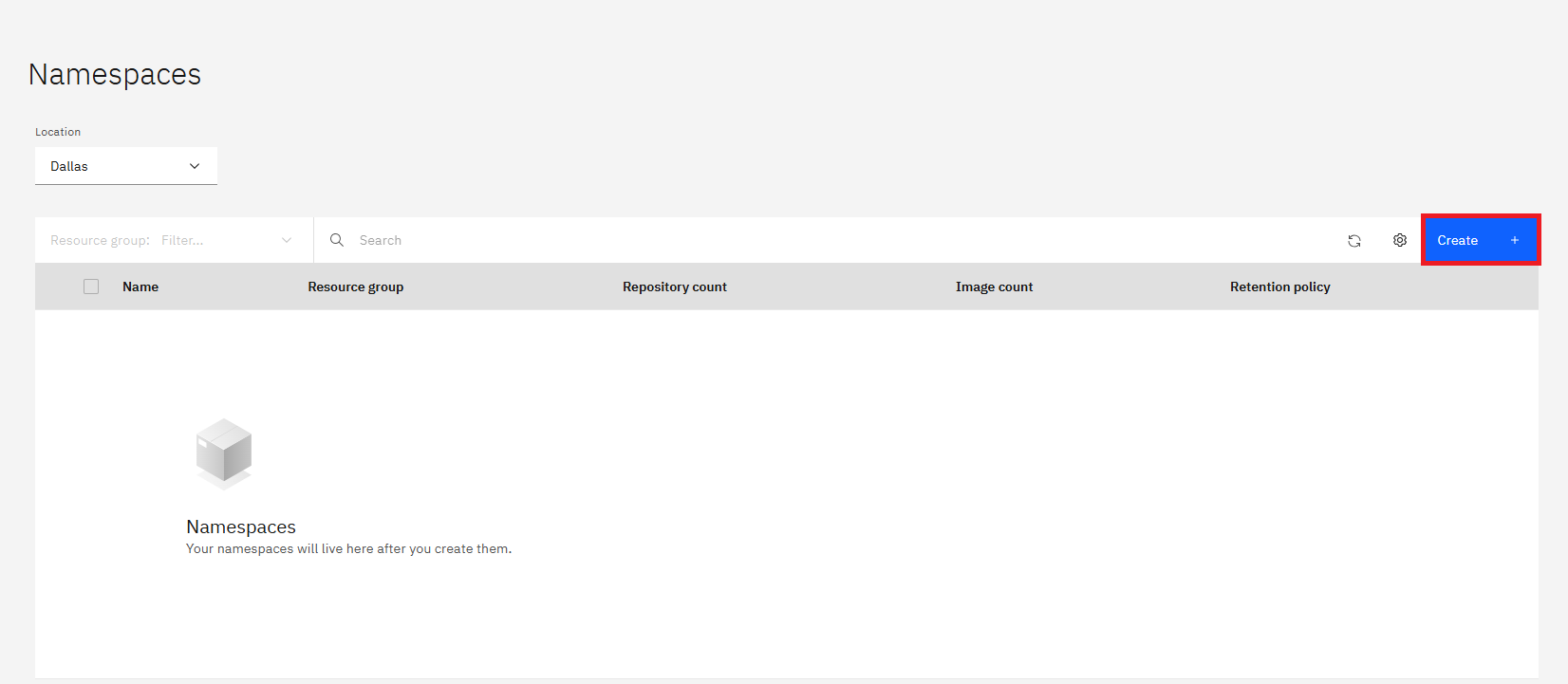
- On the right side of the Namespaces panel, click Create.
在“命名空间”面板的右侧,点击“创建”。
- A Create namespace panel opens.
一个创建命名空间面板将打开。
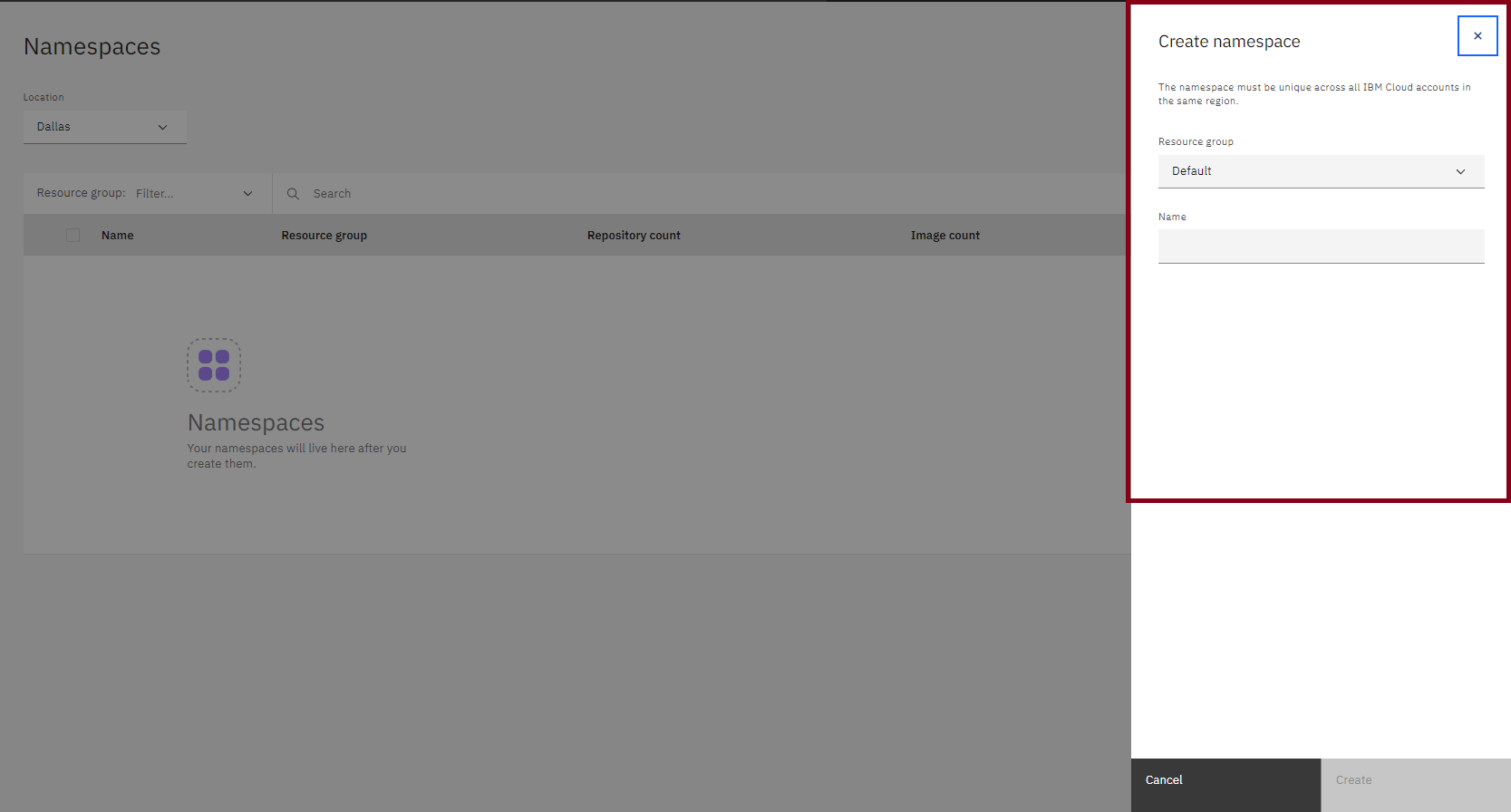
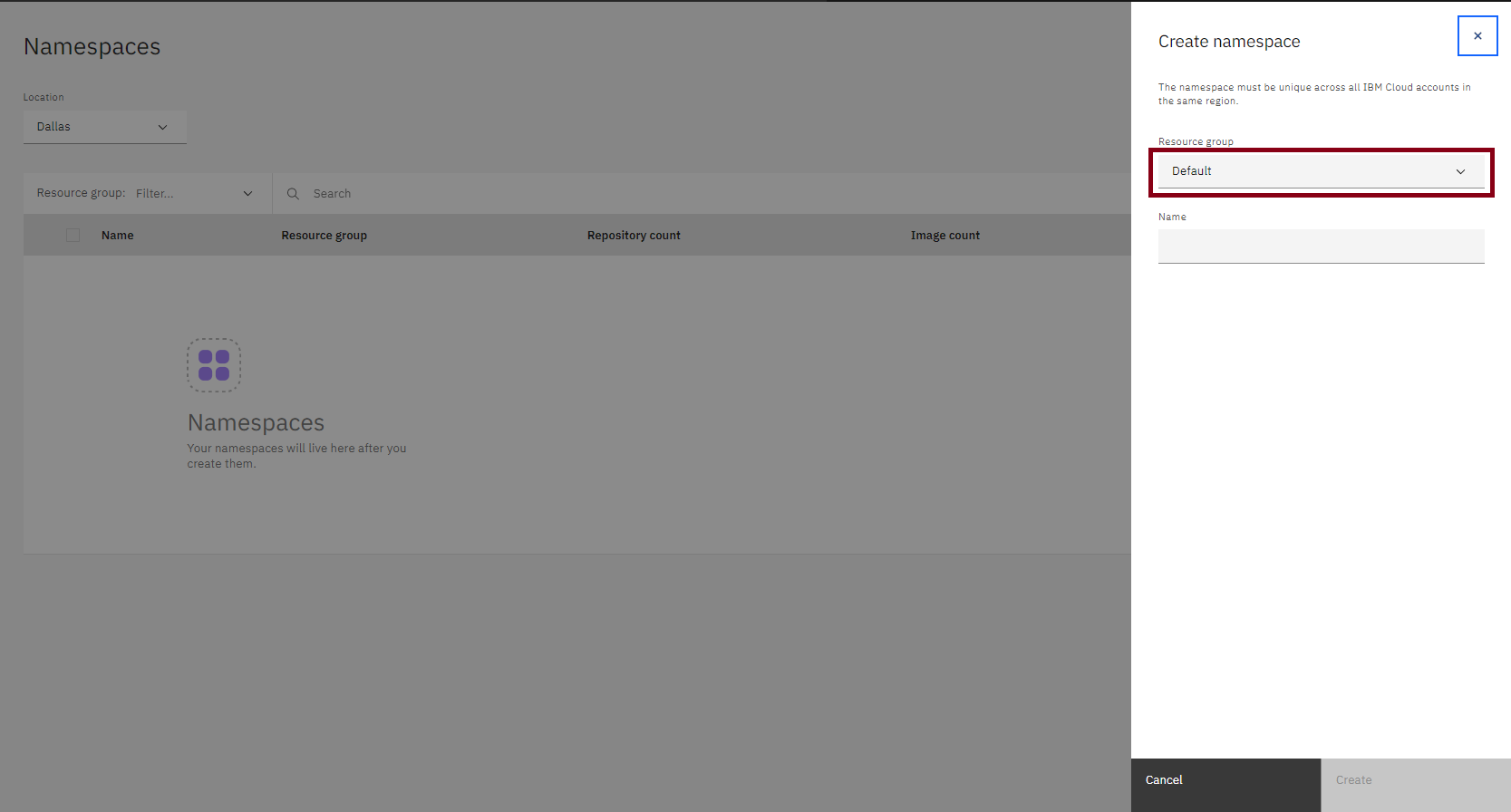
- In the Resource group field, select the name of the resource group you would like this namespace to reside in. For this lab, you can simply leave the selection as Default.
在资源组字段中,选择您希望此命名空间所在的资源组的名称。对于本次实验,您可以简单地将其选择为默认值。
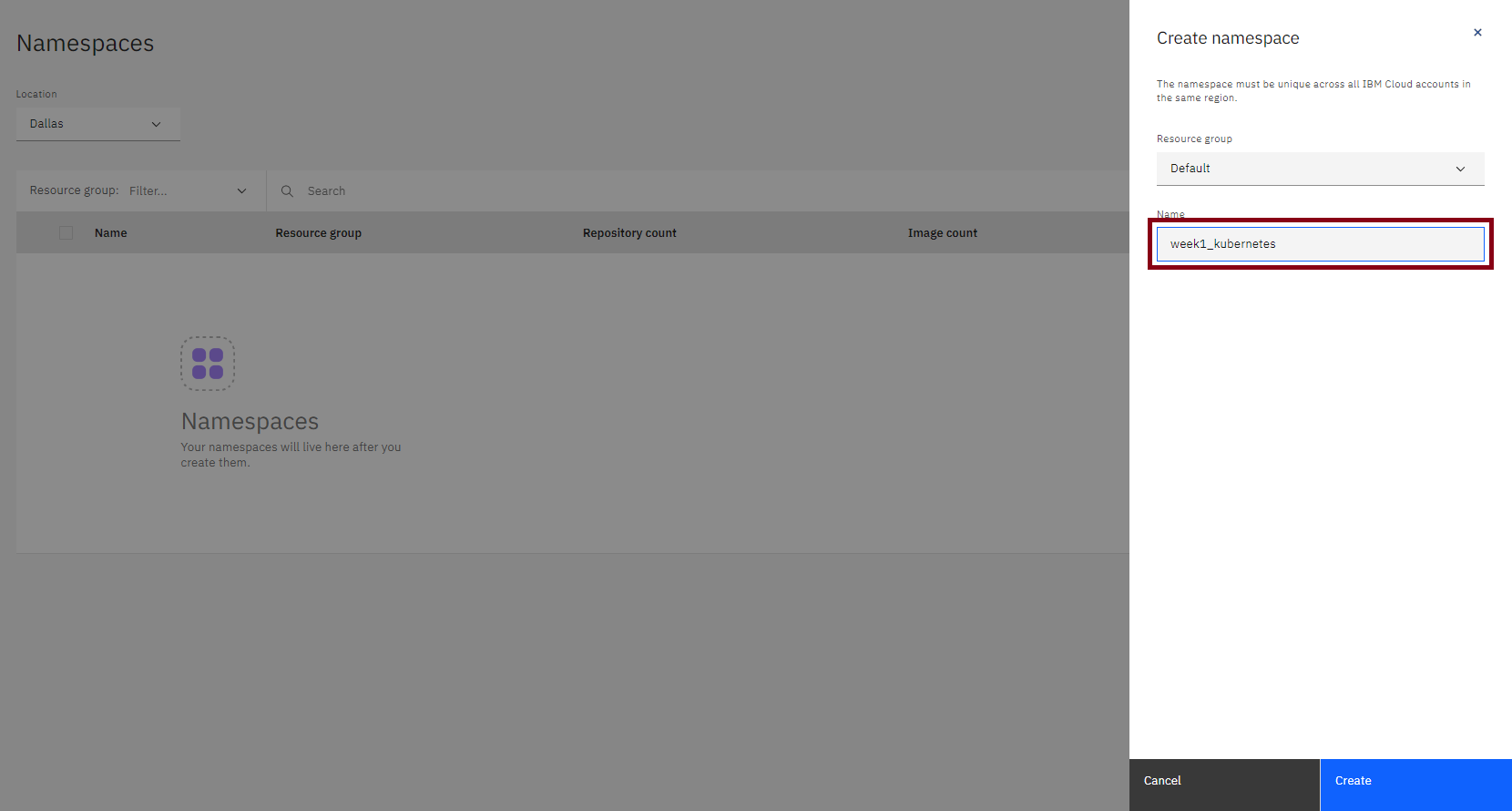
- In the Name field, type a unique name for the namespace. The name must be unique across all users of the Container Registry service in this region.
在名称字段中,为命名空间输入一个唯一名称。该名称必须在该区域的所有容器注册服务用户中是唯一的。
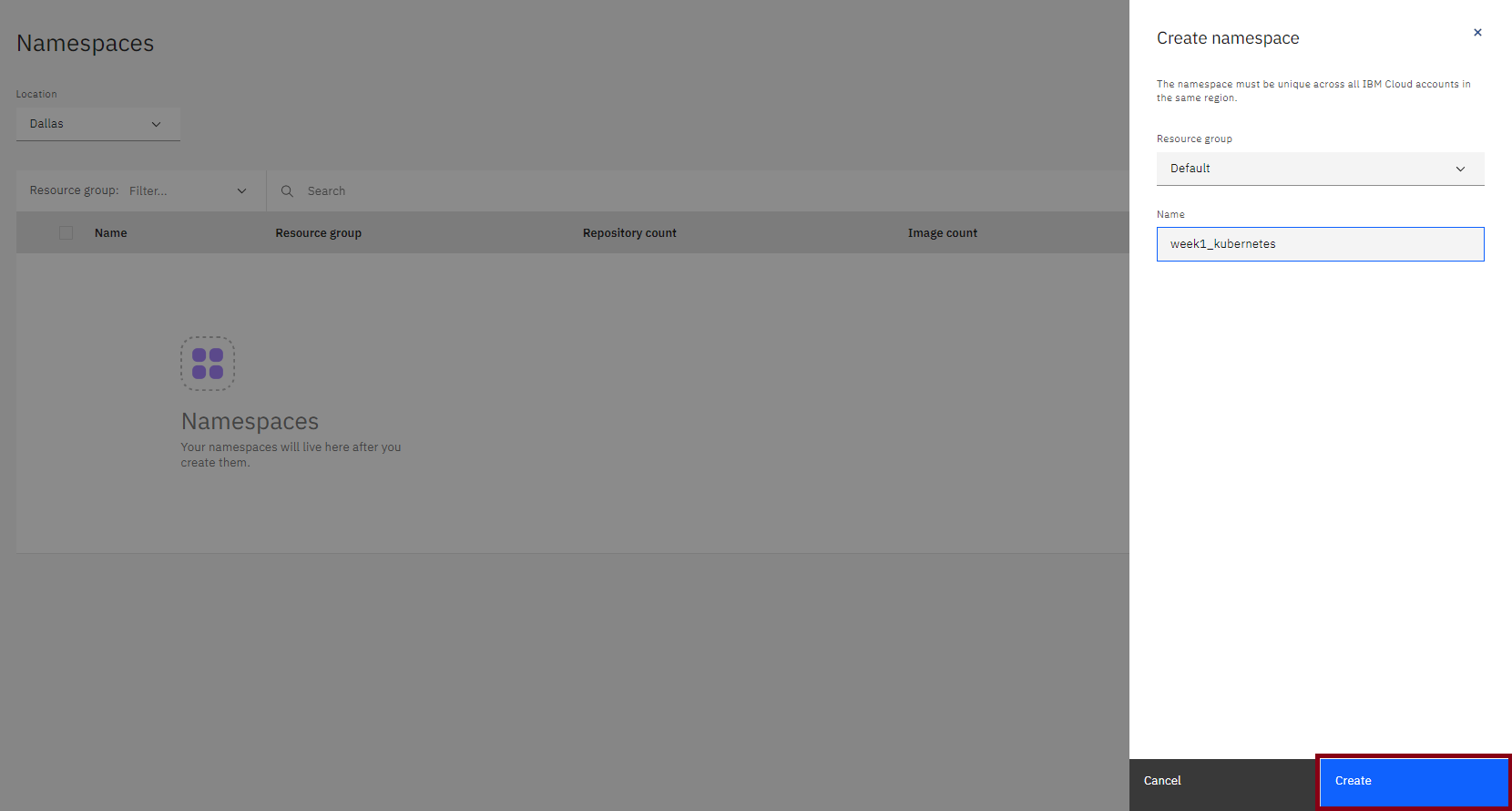
- Click Create at the bottom of the panel to create the namespace.
点击面板底部的创建按钮以创建命名空间。
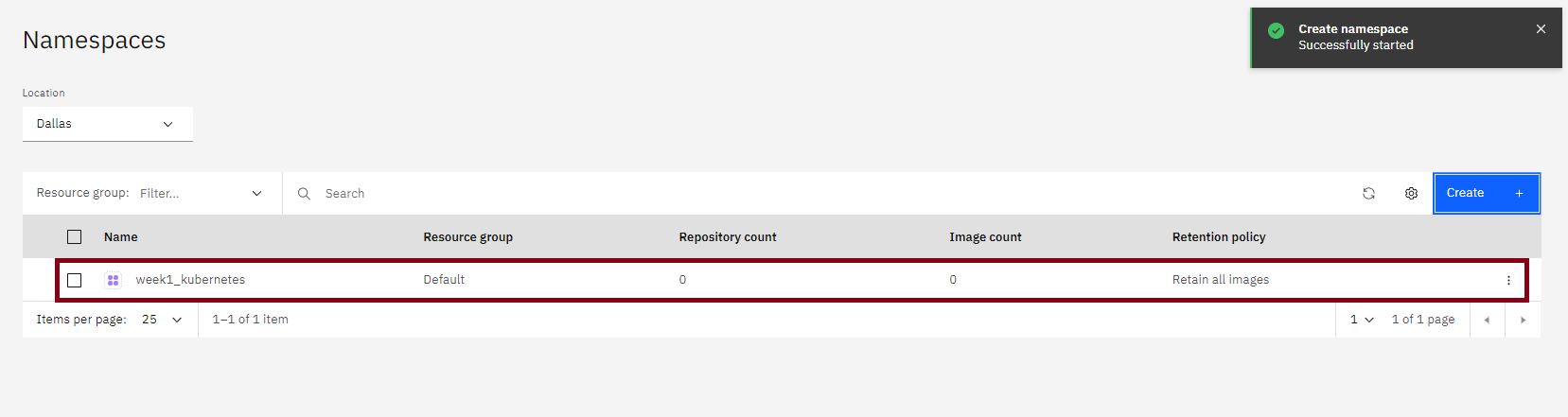
You now have a namespace (as below) to which you can push images.
您现在有一个命名空间(如下所示),可以将镜像推送到该命名空间。
Congratulations! You have completed the first lab for the first module of this course.
恭喜!您已完成本课程第一模块的第一个实验。