Module 03 · Introduction to Application Development应用开发简介
Demo: Using Geolocation API in Web Apps演示:在 Web 应用中使用地理位置 API
Effort: 20 minutes 努力:20 分钟
You have learned a lot about web development by now. Time for some action.
你现在已经学到了很多关于网页开发的知识。是时候采取一些行动了。
Learning Objectives 学习目标
- Understand what Geolocation API is.
了解地理位置 API 是什么。 - Identify how Geolocation API identifies the current location.
识别 Geolocation API 如何识别当前位置。 - Find your current location.
找到您的当前位置。 - See your current location on the map.
查看您在地图上的当前位置。 - Figure out how far the Statue of Liberty is from your current location.
确定自由女神像距离您当前位置有多远。
What is Geolocation API? 什么是 Geolocation API?
Most smartphones today have a GPS (Global Positioning System) receiver built-in. Using the GPS, they can tell your exact location. Needless to say, a GPS is a useful feature. Imagine the advantages a web page has if it can identify a user's current location without any sophisticated hardware.
大多数智能手机今天都内置了 GPS(全球定位系统)接收器。使用 GPS,它们可以告诉您确切的位置。不用说,GPS 是一个有用的功能。想象一下,如果一个网页能够识别用户的当前位置而不需要任何复杂的硬件,它将具有哪些优势。
HTML5 has many cool APIs (Application Programming Interface). One of them is Geolocation. Using this API, a web developer can find the location of a user by writing just a few lines of code. Before the days of this API, finding their location was a difficult task.
HTML5 拥有许多酷炫的 API(应用程序编程接口)。其中之一是地理位置。使用这个 API,网页开发者只需编写几行代码就能找到用户的位置。在出现这个 API 之前,找到他们的位置是一项艰巨的任务。
If a web browser can find out someone's current location, it would be of great utility in many scenarios. For example, when you order food online, the food delivery company expects you to type in your address. If your browser can identify your current location, you can automatically find and select your current location.
如果网页浏览器能找到某人的当前位置,那么在许多场景下都会非常有用。例如,当你在线订餐时,外卖公司期望你输入你的地址。如果你的浏览器能识别你的当前位置,你可以自动找到并选择你的当前位置。
Using Geolocation API 使用地理位置 API
Using an API makes it easy to use its functionalities, while not requiring a lot of work on your end. For the Geolocation API, all you need to do is call its methods as needed. For example, if we want to get the current position of a user, we can do:
使用 API 可以轻松使用其功能,同时不需要您做很多工作。对于地理位置 API,您只需按需调用其方法即可。例如,如果我们想获取用户的当前位置,我们可以这样做:
navigator.geolocation.getCurrentPosition(displayPosition)
The Geolocation API also has other available functionalities, such as tracking a user's location every time he/she moves, and can be found on the official documentation. As a web developer, it will be important to know how to use APIs in order to write more efficient code, and to make your job easier.
地理定位 API 还具有其他可用功能,例如跟踪用户每次移动的位置,可在官方文档中找到。作为一名网页开发者,了解如何使用 API 来编写更高效的代码以及使工作更轻松将非常重要。
How Geolocation API Identifies the Current Location 如何地理定位 API 识别当前位置
The Geolocation API uses variety of sources to find out your current location. Usually Geolocation API will try to determine the position using one of these methods.
地理定位 API 使用多种来源来确定您的当前位置。通常,地理定位 API 会尝试使用以下方法之一来确定位置。
GPS (Global Positioning System)
GPS(全球定位系统)
If your device has any GPS capabilities, the current position is identified using the satellite signal.
如果您的设备具有 GPS 功能,当前位置将使用卫星信号进行识别。
Mobile Network Location 移动网络位置
If you are browsing the internet using a mobile phone or a wireless modem, your location is tracked using the location of the nearest cell phone towers.
如果您使用手机或无线调制解调器浏览互联网,您的位置将通过最近的手机塔的位置进行追踪。
Wi-Fi Positioning System Wi-Fi 定位系统
If you are using a Wi-Fi, then the Wi-Fi positioning system is used.
如果您正在使用 Wi-Fi,那么将使用 Wi-Fi 定位系统。
IP Address Location IP 地址位置
If none of the above is a possibility, location is detected based on the nearest Public IP Address. The accuracy of IP based location may not be very accurate. It can be used to identify the city, region or country.
如果上述选项都不可能,则根据最近的公共 IP 地址进行位置检测。基于 IP 的位置准确性可能不高。它可以用来识别城市、地区或国家。
Find Your Current Location 找到您的当前位置
Let us see the Geolocation API in action. When you click on the link below, it will take you to a web page that has implemented Geolocation API. All you need to do is to click a button. The API will get into action and find your location in less than a second.
让我们看看地理定位 API 的实际应用。当您点击下面的链接时,它将带您到一个实现了地理定位 API 的网页。您只需点击一个按钮。API 将在不到一秒内找到您的位置。
Depending on your browser and settings, the browser may ask you for permission to know your location, make sure you click "Allow" or "Yes".
根据您的浏览器和设置,浏览器可能会要求您允许获取您的位置,请确保您点击“允许”或“是”
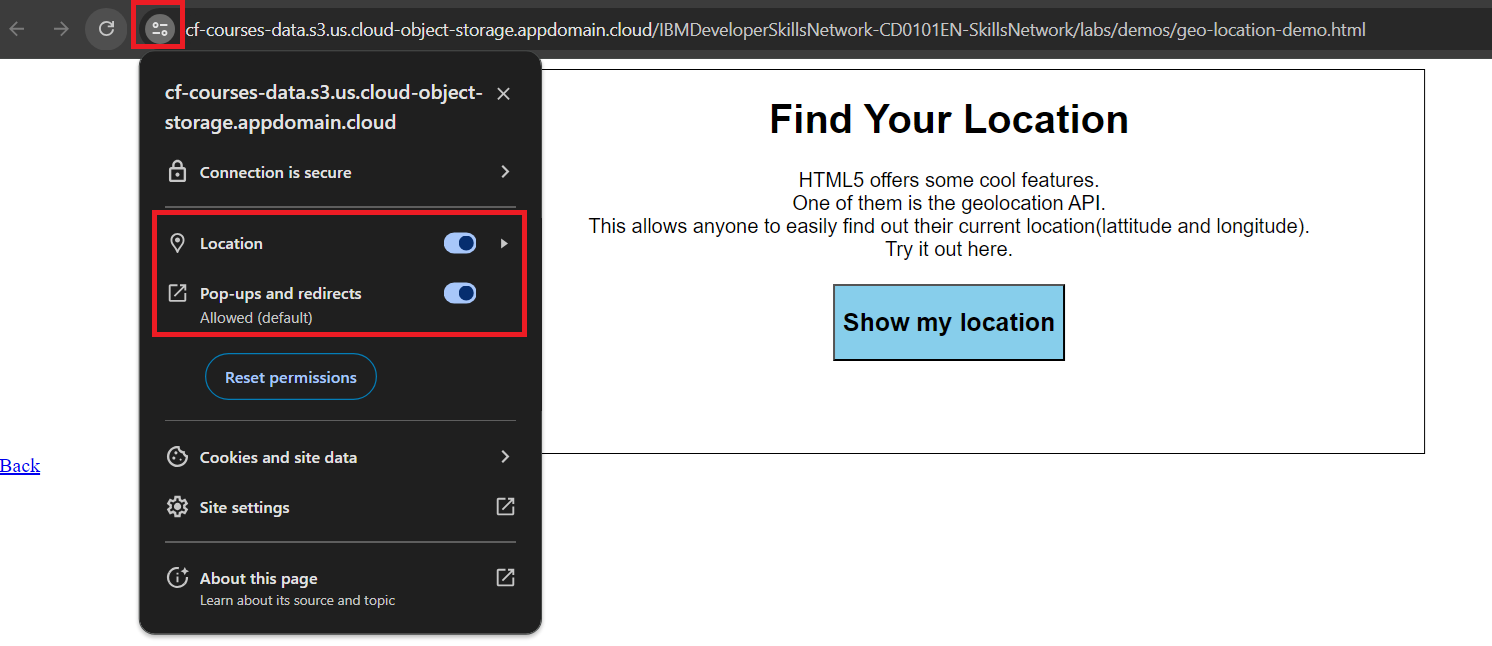
Note: Please make sure in your browser settings, that pop-ups are enabled and the location is turned on, for this demo to work properly as highlighted in the screenshot below:
注意:请确保在浏览器设置中启用弹出窗口并开启位置服务,以便演示正常工作,如屏幕截图下所示:
See Your Current Location on a Map 查看您在地图上的当前位置
Latitude and longitude information are just numbers for most people. A better way to handle this information is to use it to display your location on a map. A lot of services like Google Maps and Bing Maps do the same. You can see that this demo uses Google maps.
纬度和经度信息对大多数人来说只是数字。更好地处理这些信息的方法是使用它来在地图上显示您的位置。许多服务,如谷歌地图和必应地图,都做同样的事情。您可以看到这个演示使用的是谷歌地图。
How Far Is the Statue of Liberty? 自由女神像有多远?
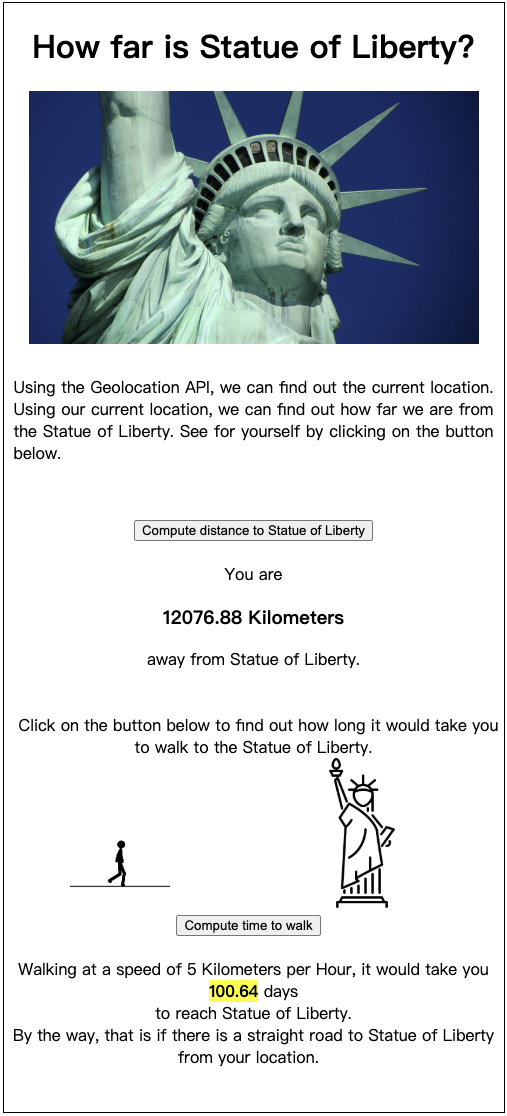
Using your current location, we can find out how far you are from the Statue of Liberty. Can't believe it? See it for yourself.
使用您的当前位置,我们可以计算出您距离自由女神像有多远。难以置信吗?亲自去看看吧。
Note: Please ensure that pop-ups are enabled and location is turned on in your browser settings, for this demo to work correctly.
注意:请确保您的浏览器设置中启用了弹出窗口并开启了位置服务,以便此演示能正确运行。