Module 01 · Python Coding Practices and Packaging Concepts
Hands-on Lab: Creating a Python Package动手实验:创建 Python 包

Creating a Python Package
Estimated time needed: 30 minutes
Objectives
In this lab you will :
- Create a module named basic
- Add two functions to the module basic
- Create a module named stats
- Add two functions to the module stats
- Create a python package named mymath
- Verify that the package is working
Lab
Create Package
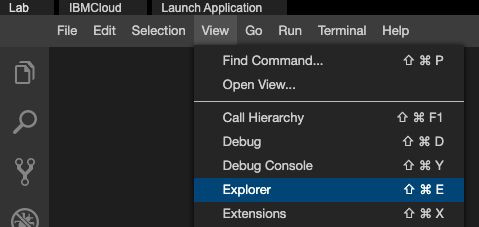
- On the window to the right, click on the View menu and select Explorer option, as shown in the image below.
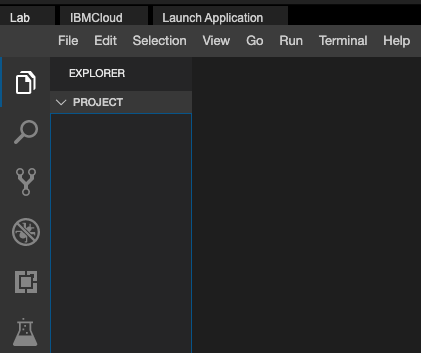
- Your IDE now should look like the image below.
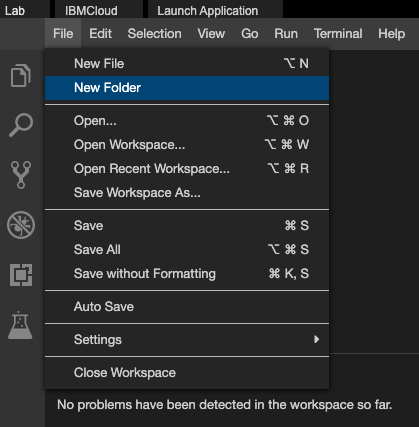
- On the window to the right, click on the File menu and select New Folder option, as shown in the image below.
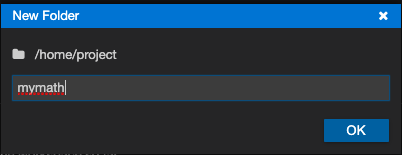
- Enter mymath and click OK as shown in the image below.
Create the first module
- Create a python module named basic
Create a file named basic.py.
Copy and paste the below code into basic.py
def square(number):
    """
    This function returns the square of a given number
    """
    return number ** 2

def double(number):
    """
    This function returns twice the value of a given number
    """
    return number * 2

def add(a, b):
    """
    This function returns the sum of given numbers
    """
    return a + b
You should see a screen like this now.
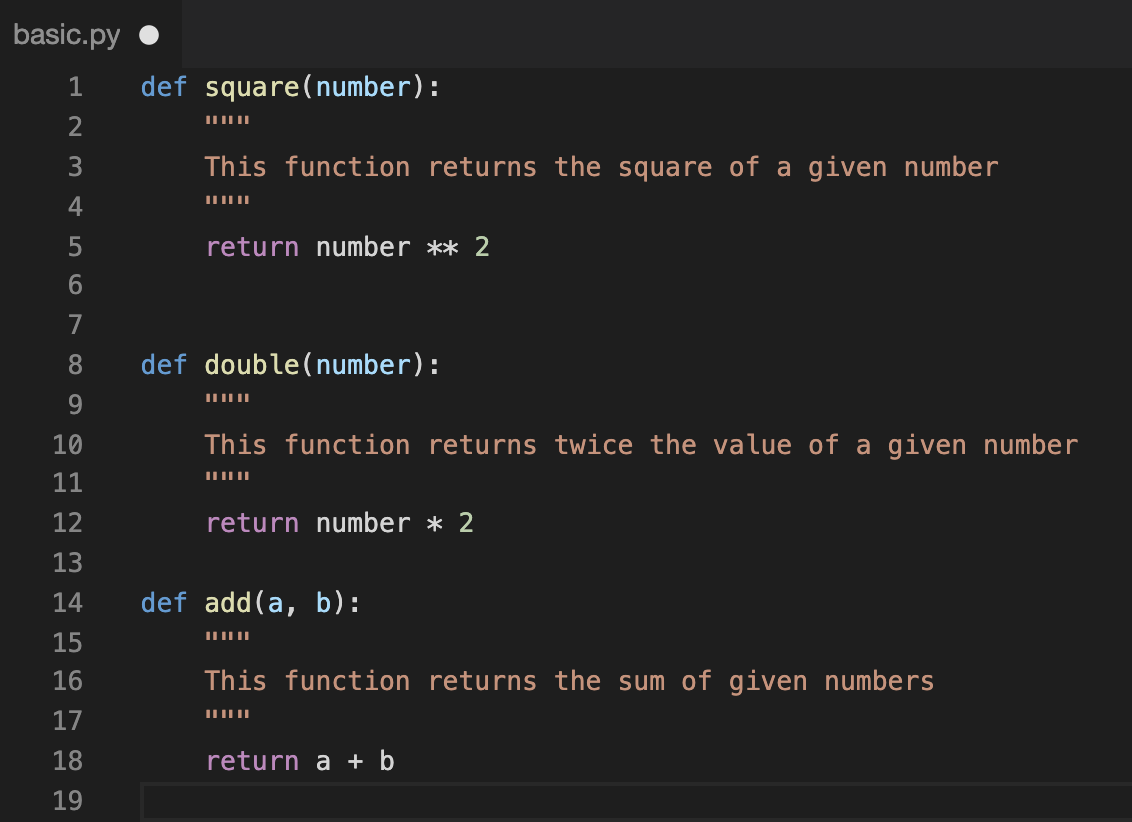
Save the file basic.py
Create the second module
- Create a module named stats
Create a file named stats.py.
Copy and paste the below code into stats.py
def mean(numbers):
    """
    This function returns the mean of the given list of numbers.
    The mean is calculated as the sum of all numbers divided by the count of numbers.
    """
    # Calculate the mean by summing all the numbers and dividing by the length of the list.
    # 'sum(numbers)' computes the total of all numbers in the list.
    # 'len(numbers)' gives the count of numbers in the list.
    # The mean (or average) is the total sum divided by the number of elements.
    return sum(numbers) / len(numbers)  # Return the mean value.

def median(numbers):
    """
    This function returns the median of the given list of numbers.
    The median is the middle value when the numbers are sorted.
    If there is an even number of observations, it returns the average of the two middle numbers.
    """
    # Sort the list of numbers in ascending order.
    # Sorting is necessary to find the median, as the median depends on the order of values.
    numbers.sort()

    # Check if the number of elements in the list is even.
    # len(numbers) % 2 == 0 evaluates to True if the list has an even number of elements.
    if len(numbers) % 2 == 0:
        # If the list has an even number of elements, find the two middle numbers.
        # 'len(numbers) // 2' computes the index of the second middle element in a zero-indexed list.
        # 'len(numbers) // 2 - 1' computes the index of the first middle element.
        median1 = numbers[len(numbers) // 2]  # The higher index of the two middle values.
        median2 = numbers[len(numbers) // 2 - 1]  # The lower index of the two middle values.

        # Calculate the median by taking the average of the two middle numbers.
        # This is done by adding the two middle values and dividing by 2.
        mymedian = (median1 + median2) / 2  # Average of the two middle values.
    else:
        # If the list has an odd number of elements, return the middle number.
        # 'len(numbers) // 2' computes the index of the middle element.
        mymedian = numbers[len(numbers) // 2]  # The middle value for lists with an odd number of elements.

    # Return the calculated median value.
    return mymedian
You should see a screen like this now.
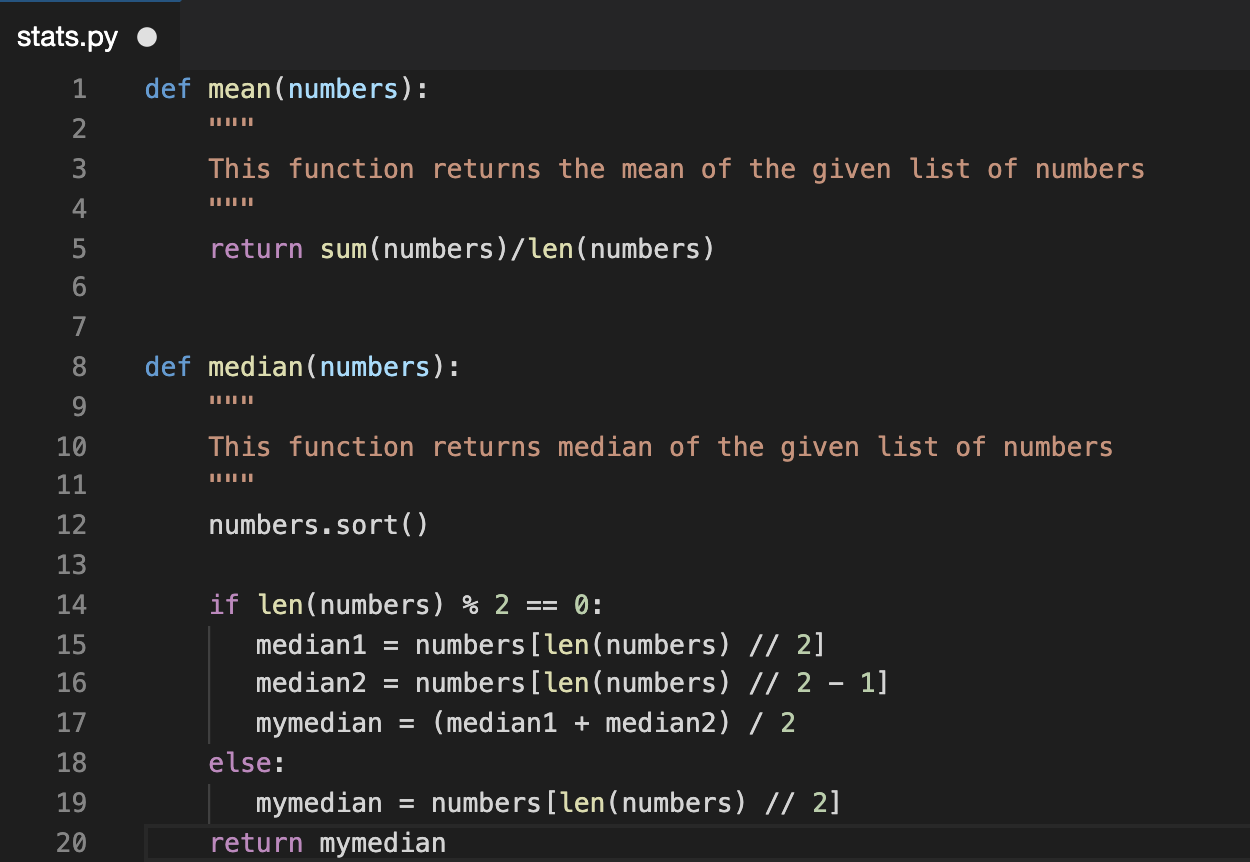
Save the file stats.py
Create__init__.py
- Create the file
__init__.py
Copy and paste the below code into __init__.py
from . import basicfrom . import stats
Save the file __init__.py
Now your directory structure should look like
mymath
mymath/__init__.py
mymath/basic.py
mymath/stats.py
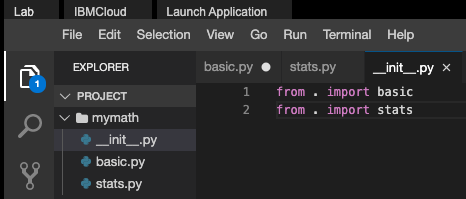
You are done creating a package
Verify the package
- On the window to the right, click on the Terminal menu and select New Terminal option, as shown in the image below.
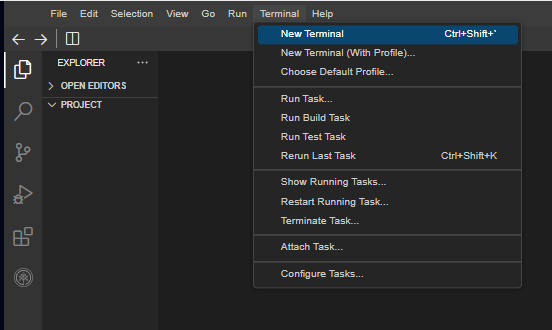
-
You will see a terminal open up on the bottom of the screen like the one in the image below.

-
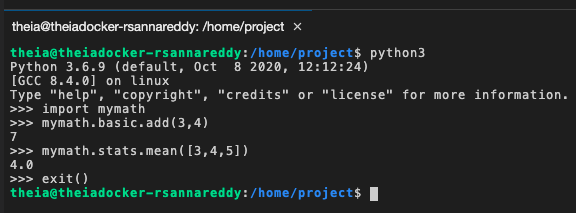
At the terminal type python3 to invoke python interpreter.
-
Once the python interpreter is loaded.
-
At the python prompt type import mymath
-
If the above command runs without errors, it is an indication that the mymath package is successfully loaded.
-
At the python prompt type mymath.basic.add(3,4)
-
You should see an output 7 on the screen.
-
At the python prompt type mymath.stats.mean([3,4,5])
-
You should see an output 4.0 on the screen.
-
Type exit() to quit python interpreter.
Practice Exercise
Create a new module named geometry and add to the mymath package.
- Create a module name geometry
- Add a function named
area_of_rectanglethat takes length and breadth as input and returns the area of a rectangle. - Add a function named
area_of_circlethat takes radius as input and returns the area of a circle. - Modify the
__init__.pyto include this module. - Import and test the function
area_of_circlefrom python terminal.
Authors
Ramesh Sannareddy
Other Contributors
Rav Ahuja
© IBM Corporation. All rights reserved.
This notebook and its source code are released under the terms of the MIT License.