Module 02 · Web API Essentials: REST API and GraphQL
Hands-on Lab: Creating a HELLO WORLD REST API with Python & Flask动手实验:使用 Python 和 Flask 创建 Hello World REST API
In this lab, you will create your first REST API Hello World application using the Flask.
Learning Objectives
After completing this lab:
- You will be able to create a simple web application using Flask.
- You will be able to access the REST API endpoints of your application through the browser.
Creating a Hello World REST API using Python and Flask 使用 Python 和 Flask 创建一个 Hello World REST API
Estimated Time Needed: 30 mins
预计所需时间:30 分钟
In this lab you will create your first REST API Hello World application using the Flask.
在本实验中,您将使用 Flask 创建您的第一个 REST API Hello World 应用程序
Learning Objectives 学习目标
After completing this lab:
完成本实验后:
- You will be able to create a simple web application using Flask.
您将能够使用 Flask 创建一个简单的 Web 应用程序。 - You will be able to access the REST API endpoints of your application through the browser.
您将能够通过浏览器访问您的应用程序的 REST API 端点。
Set Up a Flask Server 设置 Flask 服务器
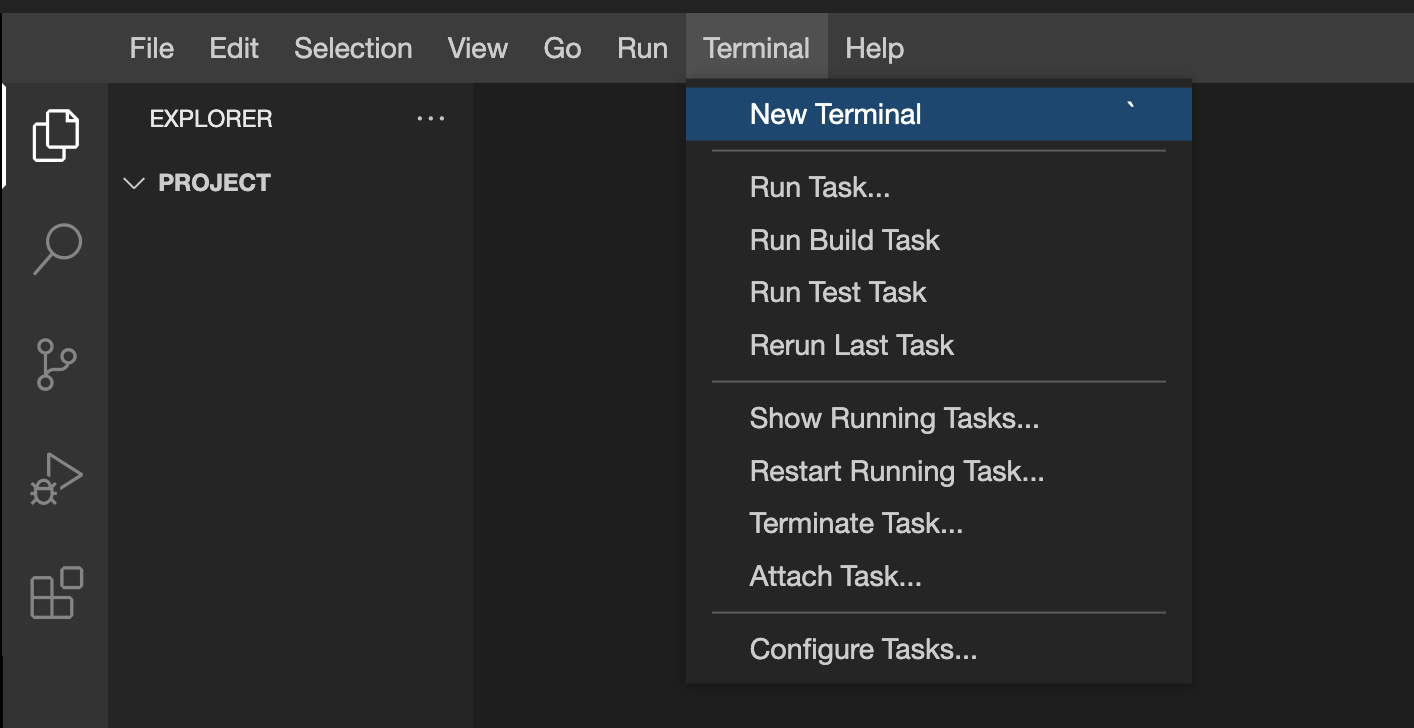
- Open a new Terminal in the lab environment.
在实验室环境中打开一个新的终端。
- Now you will write a Python code that will act as a web application serving REST API endpoint that returns the string
Hello World. Run the following command to create a file namedserver.pyand then click the button below to edit the content of the file..
现在你将编写一个 Python 代码,该代码将作为一个 Web 应用程序,提供 REST API 端点,返回字符串Hello World。运行以下命令以创建一个名为server.py的文件,然后点击下面的按钮编辑文件内容。
touch /home/project/server.py
Open server.py in IDE 在 IDE 中打开 server.py
3. Paste the following code in server.py and save the file.
将以下代码粘贴到 server.py 中并保存文件。
# Import the Flask class from the flask module
from flask import Flask

# Create an instance of the Flask class and name it "My Hello World Application"
app = Flask("My Hello World Application")

# Define a route for the root URL ('/')
@app.route("/")
def hello():
    # Return the string "Hello World!" as the response
    return "Hello World!"

# Check if this script is being run directly (not imported as a module)
if __name__ == "__main__":
    # Start the Flask development server with debugging enabled
    app.run(debug=True)
    # When no port is specified, the server starts at the default port 5000
- Before you run this web application, you need to install the packages that are required for the application to run. On the terminal, run the following command to install the packages.
在运行此网络应用程序之前,您需要安装应用程序运行所需的软件包。在终端中,运行以下命令来安装软件包。
python3 -m pip install flask
This will take a few seconds to install.
这将需要几秒钟来安装。
5. Once the flask package is installed, run server.py to start a server which is listening at port 5000 and serving a REST API endpoint at the root / that returns the string Hello World!.
一旦安装了 Flask 软件包,运行 server.py 来启动一个服务器,该服务器监听端口 5000 ,并在根目录 / 提供一个返回字符串 Hello World! 的 REST API 端点。
python3 server.py
- To access the REST API endpoint through the browser, click the following button, which will open a new browser page with the string that is transferred back by the server application.
要通过浏览器访问 REST API 端点,请点击以下按钮,这将打开一个新浏览器页面,显示服务器应用程序返回的字符串。
Hello World Application Hello World 应用
Congratulations! You just created your first REST API with Python and Flask.
恭喜!你已经使用 Python 和 Flask 创建了你的第一个 REST API。