Module 03 · Serverless Overview
Optional: Creating an AWS Lambda(可选)创建 AWS Lambda
Hands-on Lab - Creating an AWS Lambda 实践实验 - 创建 AWS Lambda
Estimated Time: 20 minutes
预计时间:20 分钟
In this lab, you will become familiar with creating and testing AWS Lambda functions in Node js.
在本实验中,你将熟悉在 Node.js 中创建和测试 AWS Lambda 函数。
Important:* This lab requires use of credit card.*
重要提示:本实验室需要使用信用卡。
Learning Objectives: 学习目标
After completing this exercise, you should be able to perform the following tasks:
完成此练习后,您应该能够执行以下任务:
- Create an AWS Lambda function
创建一个 AWS Lambda 函数 - Test the output of an AWS Lambda function
测试 AWS Lambda 函数的输出
Pre-requisites 前提条件
- You must have an AWS account.
您必须拥有一个 AWS 账户。 - You should be familiar with Node js.
您应该熟悉 Node.js。
Important:* Please note that any usage beyond the free tier will be charged to the credit card you used for creating the AWS account.*
重要提示:请注意,超出免费层级的任何使用都将记入您用于创建 AWS 账户的信用卡。
Task 1 - Sign into your AWS account 任务 1 - 登录您的 AWS 账户
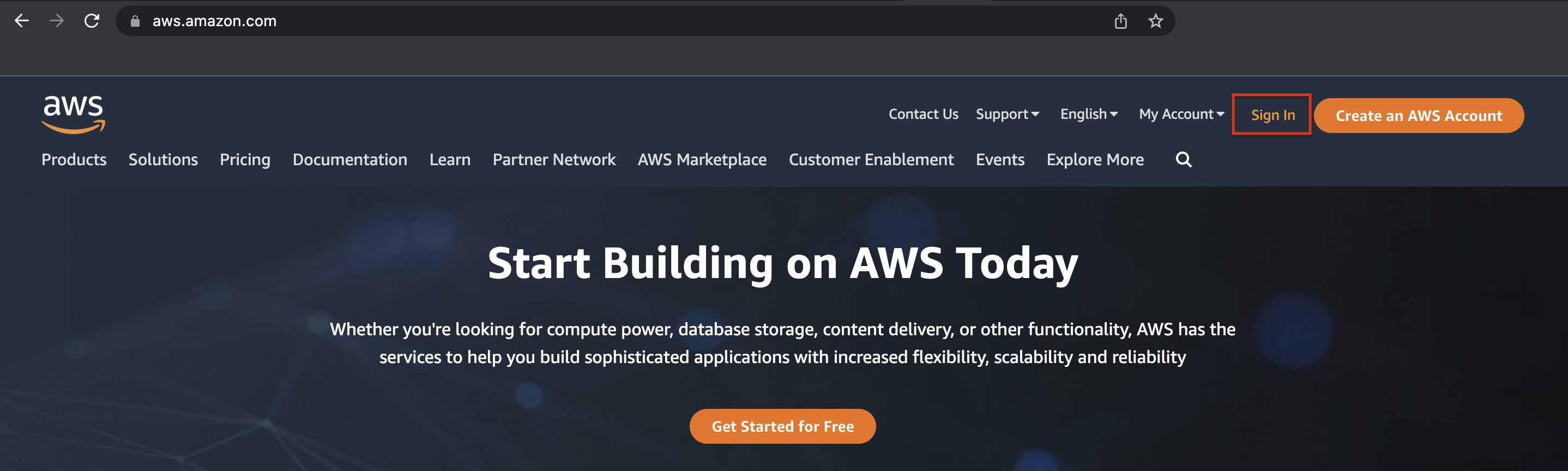
- If you are already signed into your AWS account, you can skip this task. Go to https://aws.amazon.com.
如果您已经登录了您的 AWS 账户,可以跳过此任务。访问 https://aws.amazon.com。 - Click Sign In to sign into your AWS account.
点击“登录”以登录您的 AWS 账户。
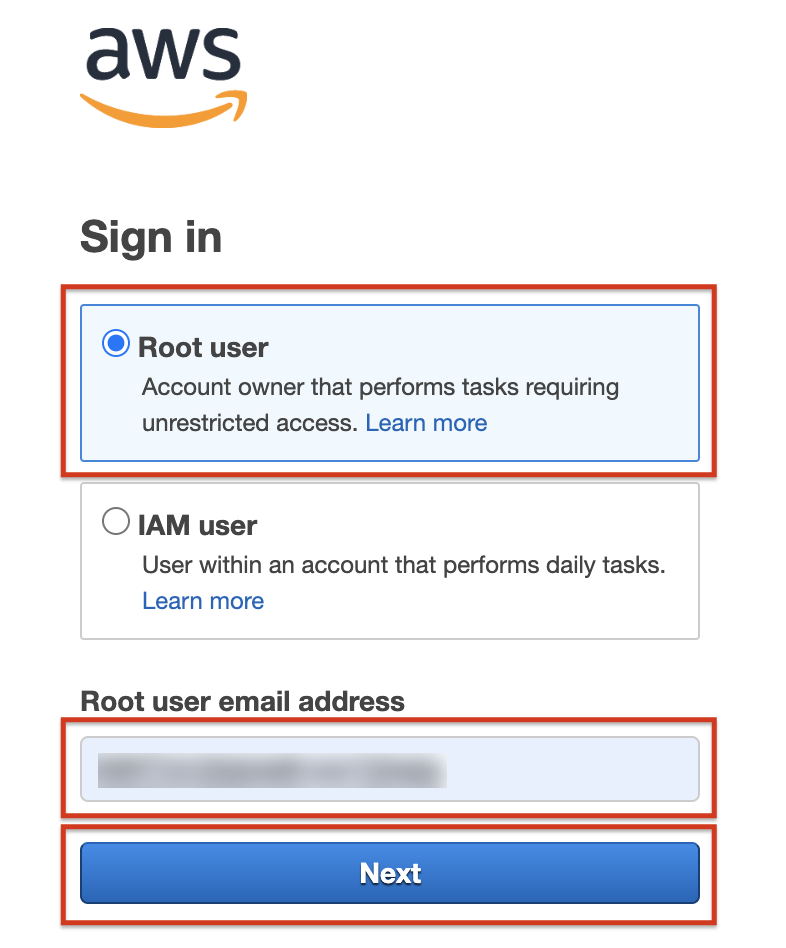
- Enter the email address you registered with to sign in as root user.
输入您注册时使用的电子邮件地址,以以 root 用户身份登录。
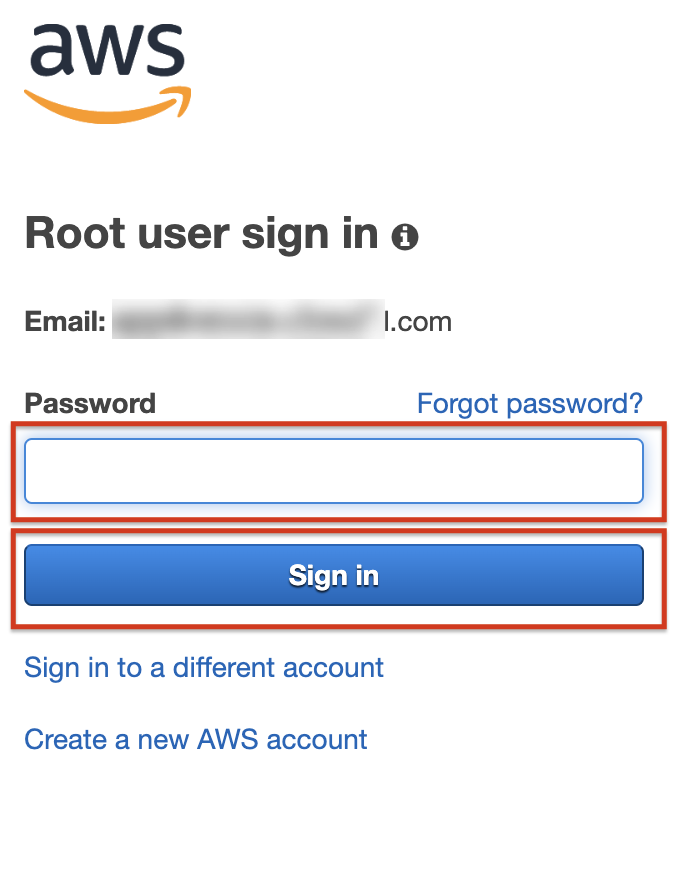
- Enter the password and click the Sign In button. This will take you to the AWS Console Home.
输入密码并点击“登录”按钮。这将带您进入 AWS 控制台主页。
Task 2 - Create AWS Lambda function 任务 2 - 创建 AWS Lambda 函数
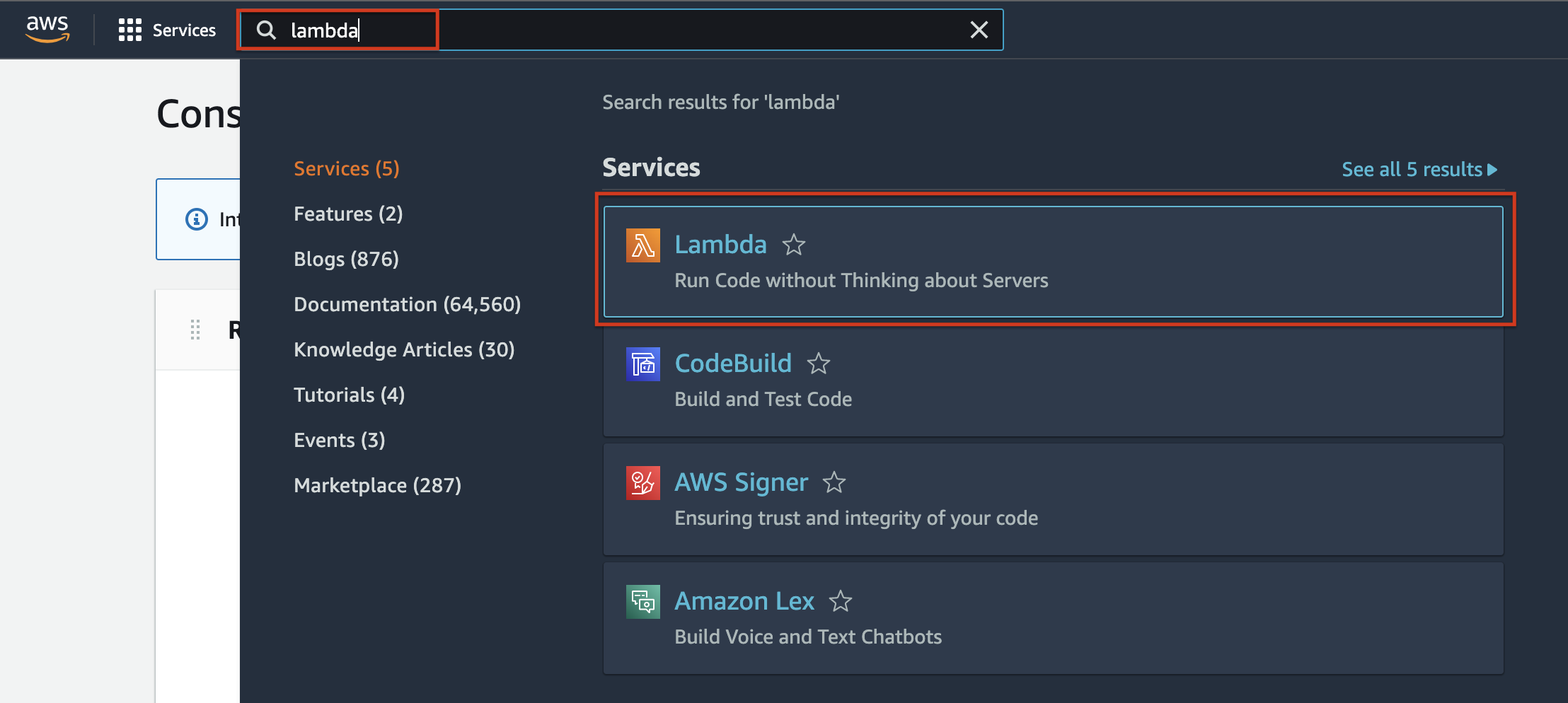
- When the AWS Console Home loads up, on the top search bar, type Lambda, and you will see that the Lambda service is listed as the first choice. Choose Lambda.
当 AWS 控制台首页加载时,在顶部搜索栏中输入 Lambda,您将看到 Lambda 服务被列为首选选项。选择 Lambda。
- Action is chosen by default. Click Create Function to start creating your AWS Lambda function.
默认选择操作。点击创建函数以开始创建您的 AWS Lambda 函数。
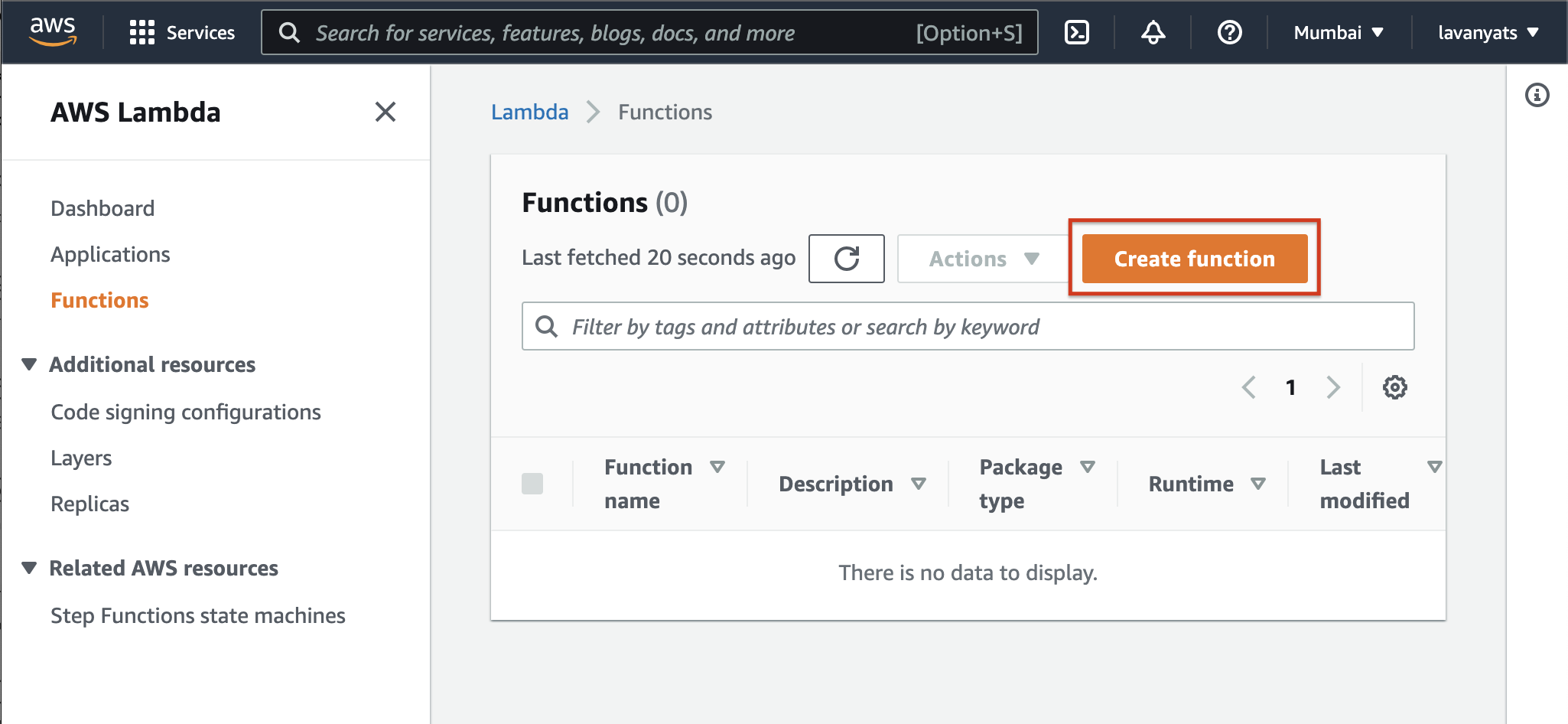
- You can choose to Author from Scratch as you will be adding your own code to it.
您可以选择从空白处创建,因为您将向其中添加自己的代码。

- Provide basic information for your function - name of the function, runtime. You will be creating a Node.js function. So the runtime will be Node.js 16.x. Allow the rest to be default and click the Create Function button.
为您的函数提供基本信息 - 函数名称、运行时。您将创建一个 Node.js 函数,因此运行时将是 Node.js 16.x。其余设置为默认值,然后点击创建函数按钮。
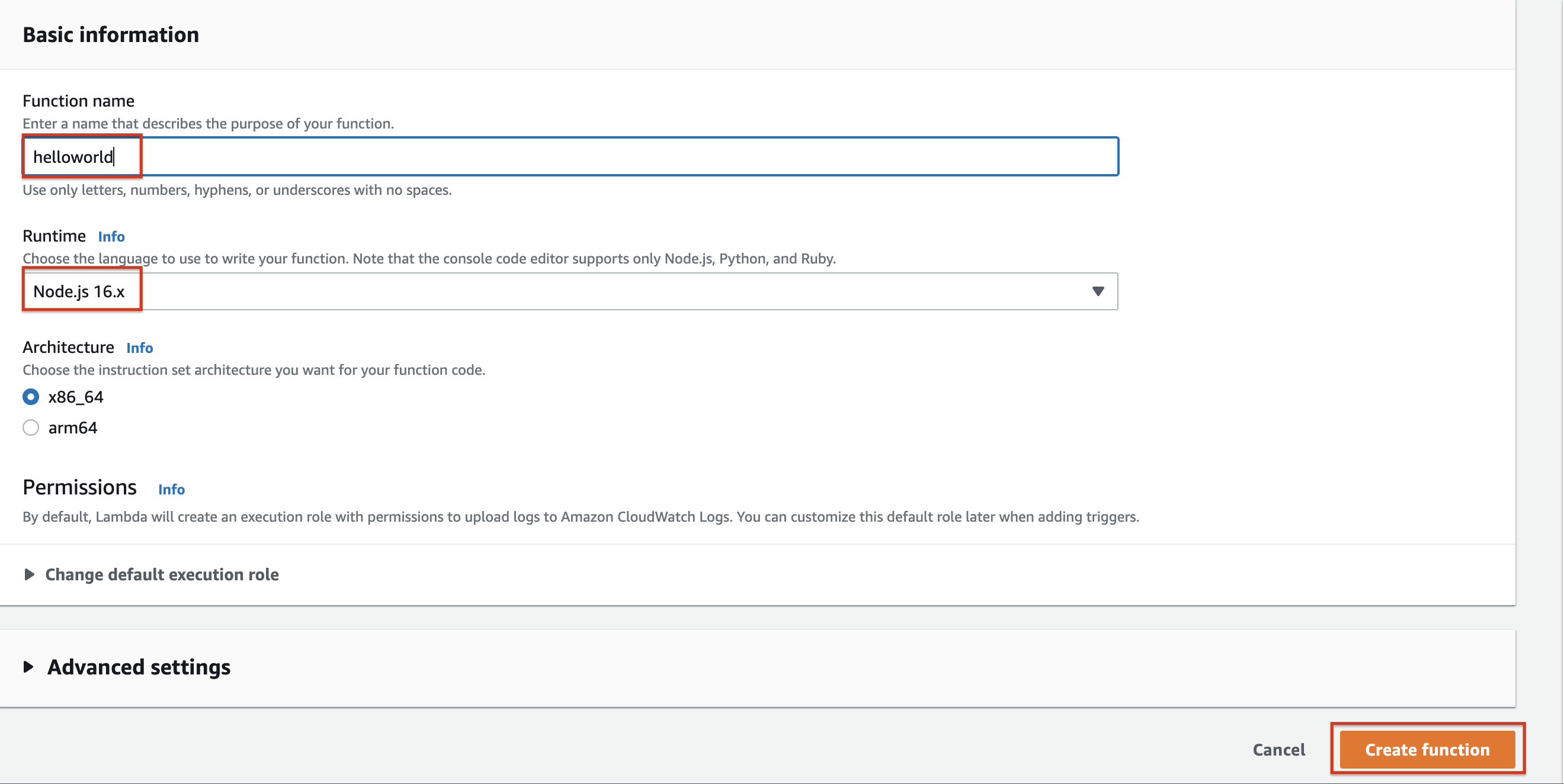
- After a few seconds, you will see the function details page once the function is created.
函数创建后,几秒钟内,您将看到函数详情页面。
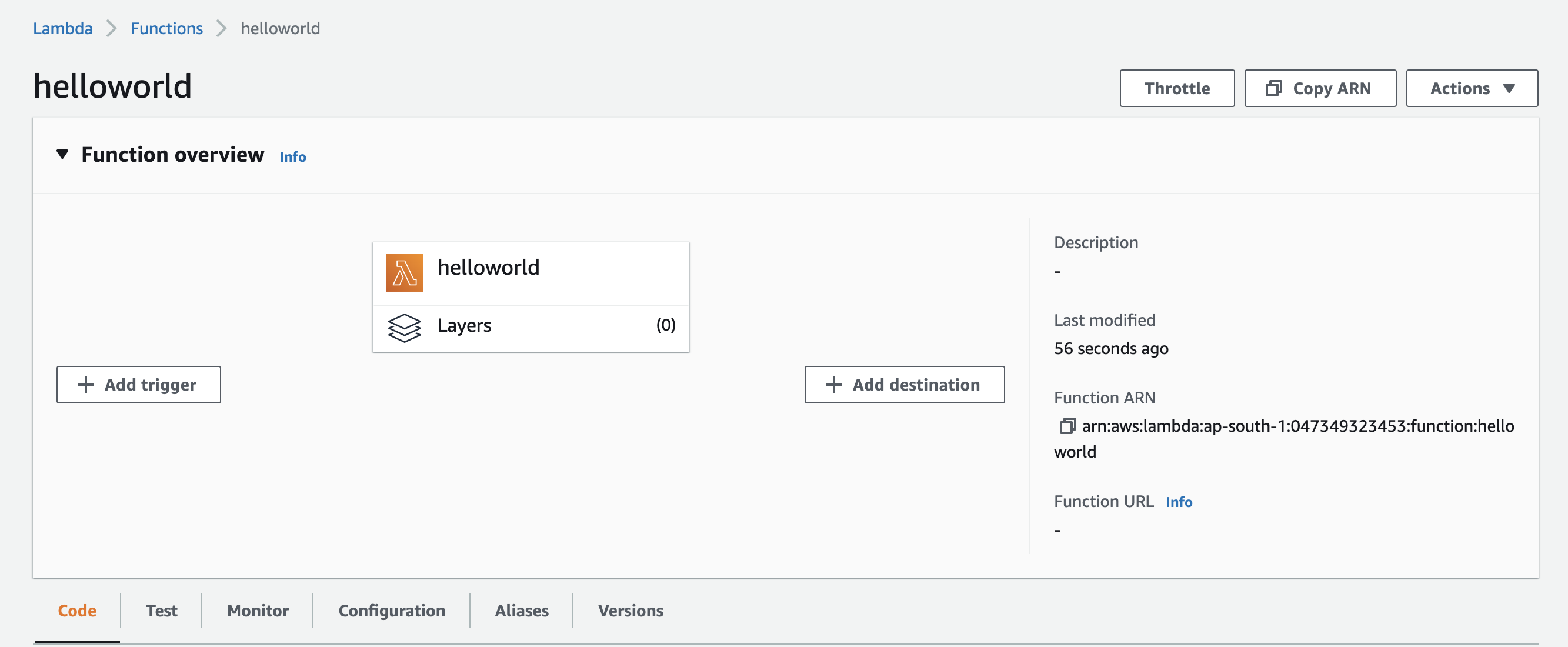
- Scroll down on the same page to see the default Hello Lambda code prewritten in the Code tab.
在同一页面上向下滚动,查看代码选项卡中预写的默认 Hello Lambda 代码。
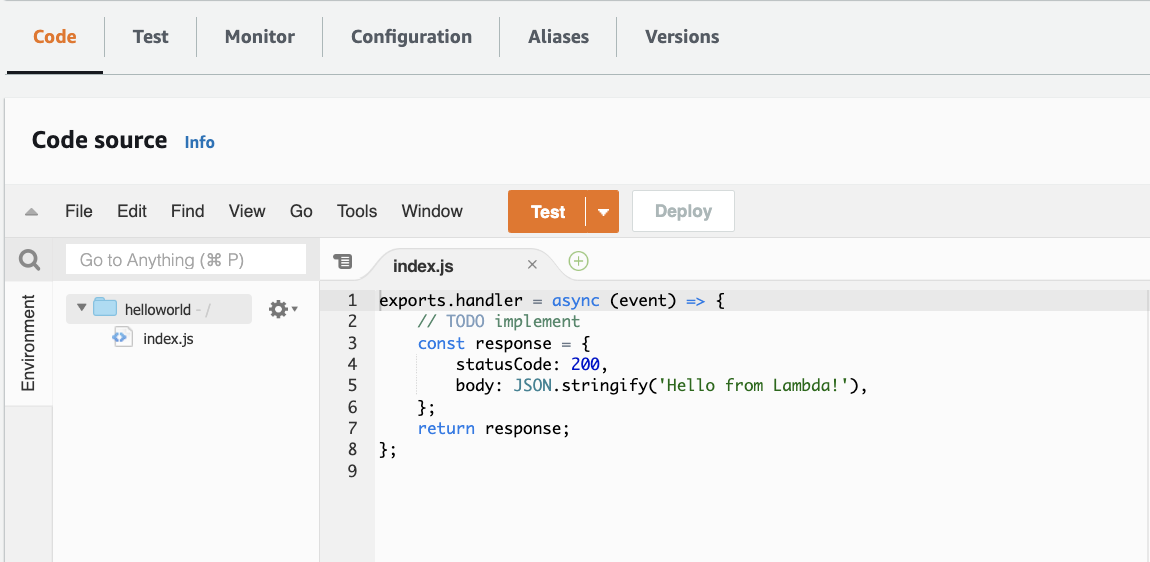
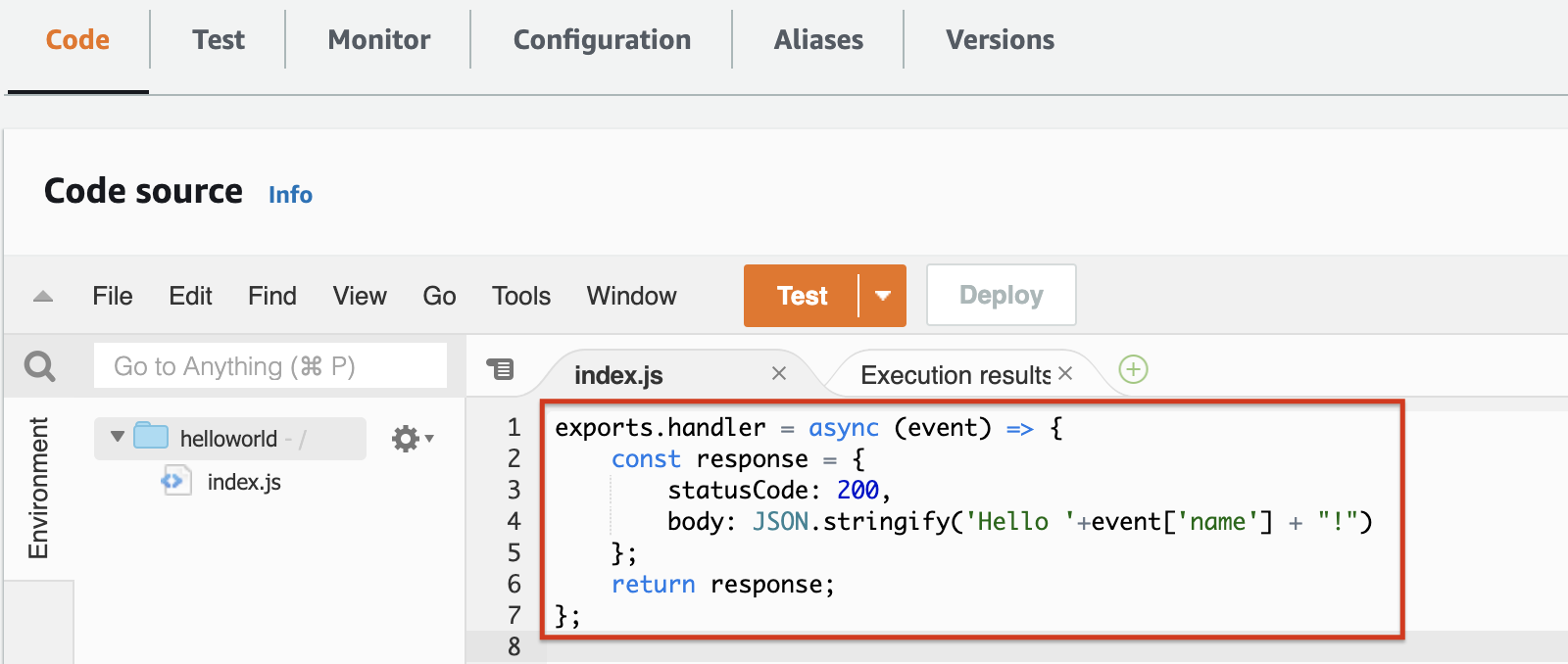
- Replace the code with the following custom code. This code will take the name parameter from the event and return a personalized Hello. Click Deploy once you add the script.
用以下自定义代码替换代码。此代码将从事件中获取 name 参数并返回个性化的问候。添加脚本后,点击部署。
exports.handler = async (event) => {
    const response = {
        statusCode: 200,
        body: JSON.stringify('Hello '+event['name'] + "!")
    };
    return response;
};
Task 3 - Test the Lambda function 任务 3 - 测试 Lambda 函数
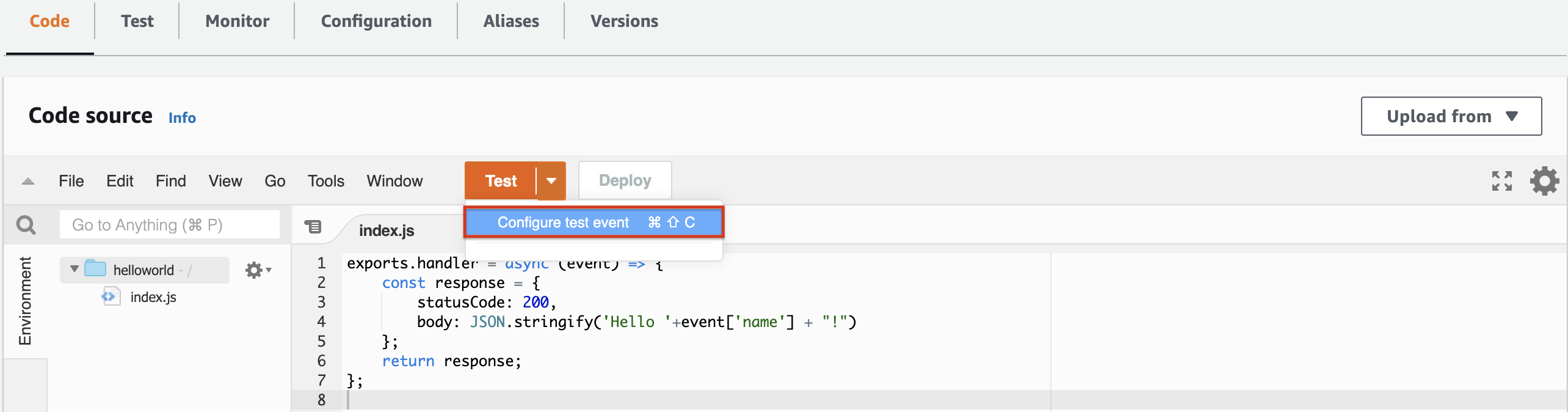
- Once the code is deployed, you should configure an event and test the output of the Lambda function. Click the drop-down next to the Test button and choose Configure test event.
代码部署后,您应该配置一个事件并测试 Lambda 函数的输出。点击测试按钮旁边的下拉菜单,选择配置测试事件。
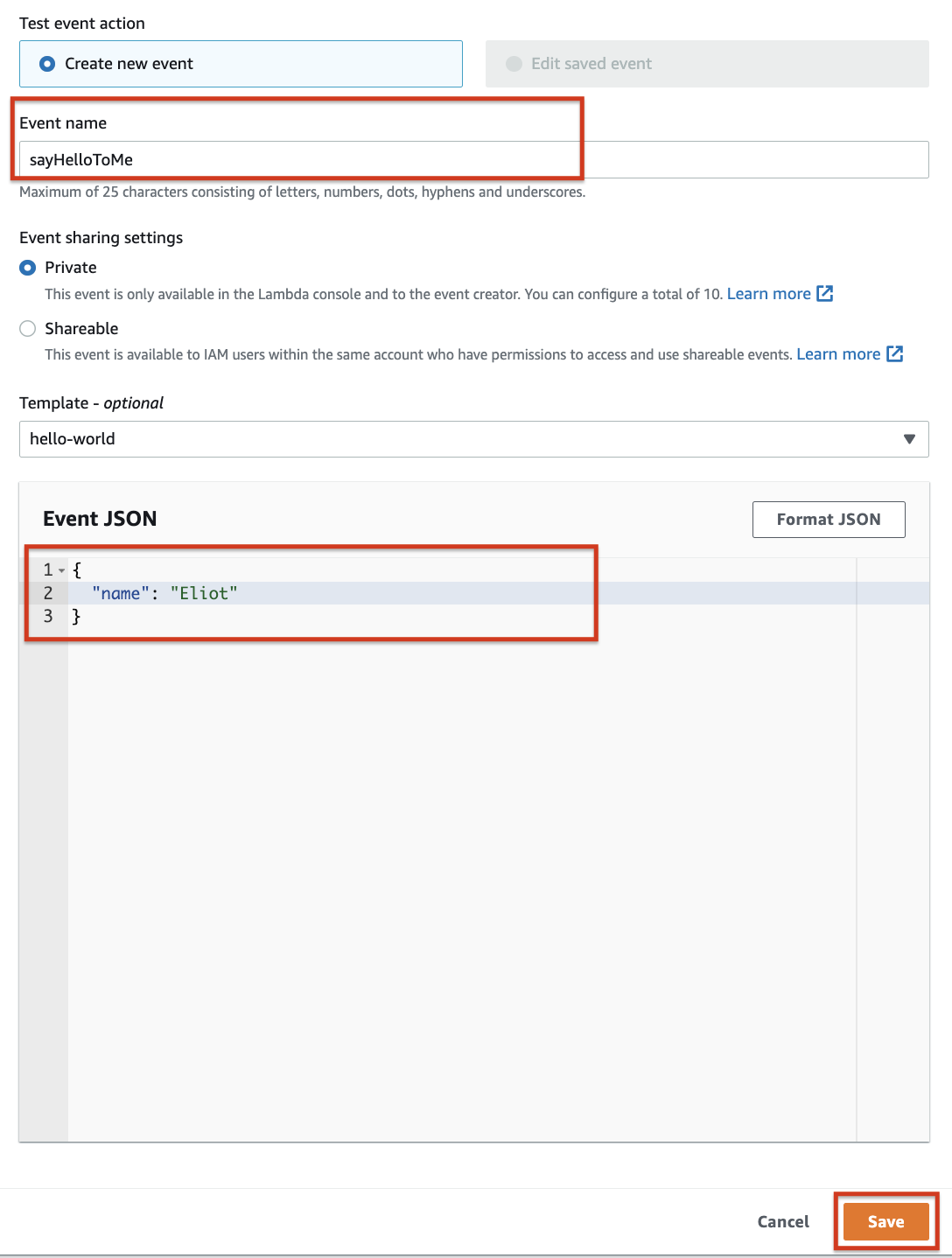
- Give the event a name and then enter or copy and paste the JSON below to add the parameter you want to pass to the event. This event is triggered when you want to test your Lambda function. Add the Event JSON and click Save.
为事件命名,然后输入或复制并粘贴下面的 JSON 以添加您要传递给事件的参数。当您想要测试 Lambda 函数时,会触发此事件。添加事件 JSON 并点击保存。
{
  "name":"Eliot"
}
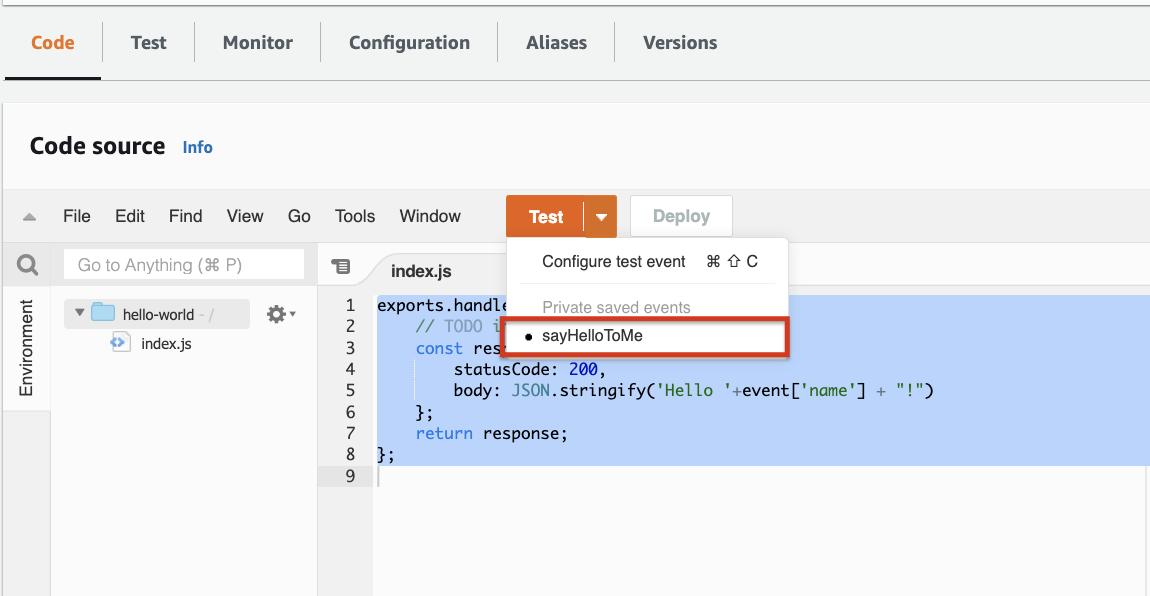
3. Check if the event has been created by clicking the drop-down next to Test again.
通过再次点击测试旁边的下拉菜单来检查事件是否已创建。
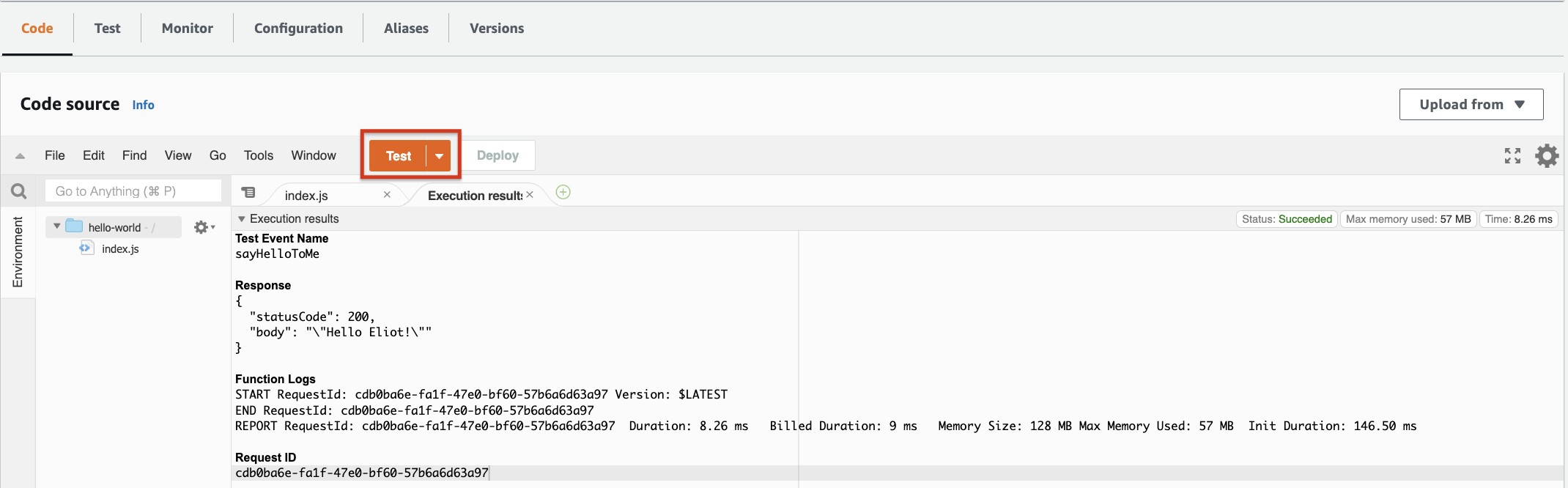
4. Click Test to invoke the Lambda function and see the response. You should see the response as shown in the image below.
点击测试以调用 Lambda 函数并查看响应。您应该看到如下所示的下图中的响应。
Task 4 - Delete the Lambda function 任务 4 - 删除 Lambda 函数
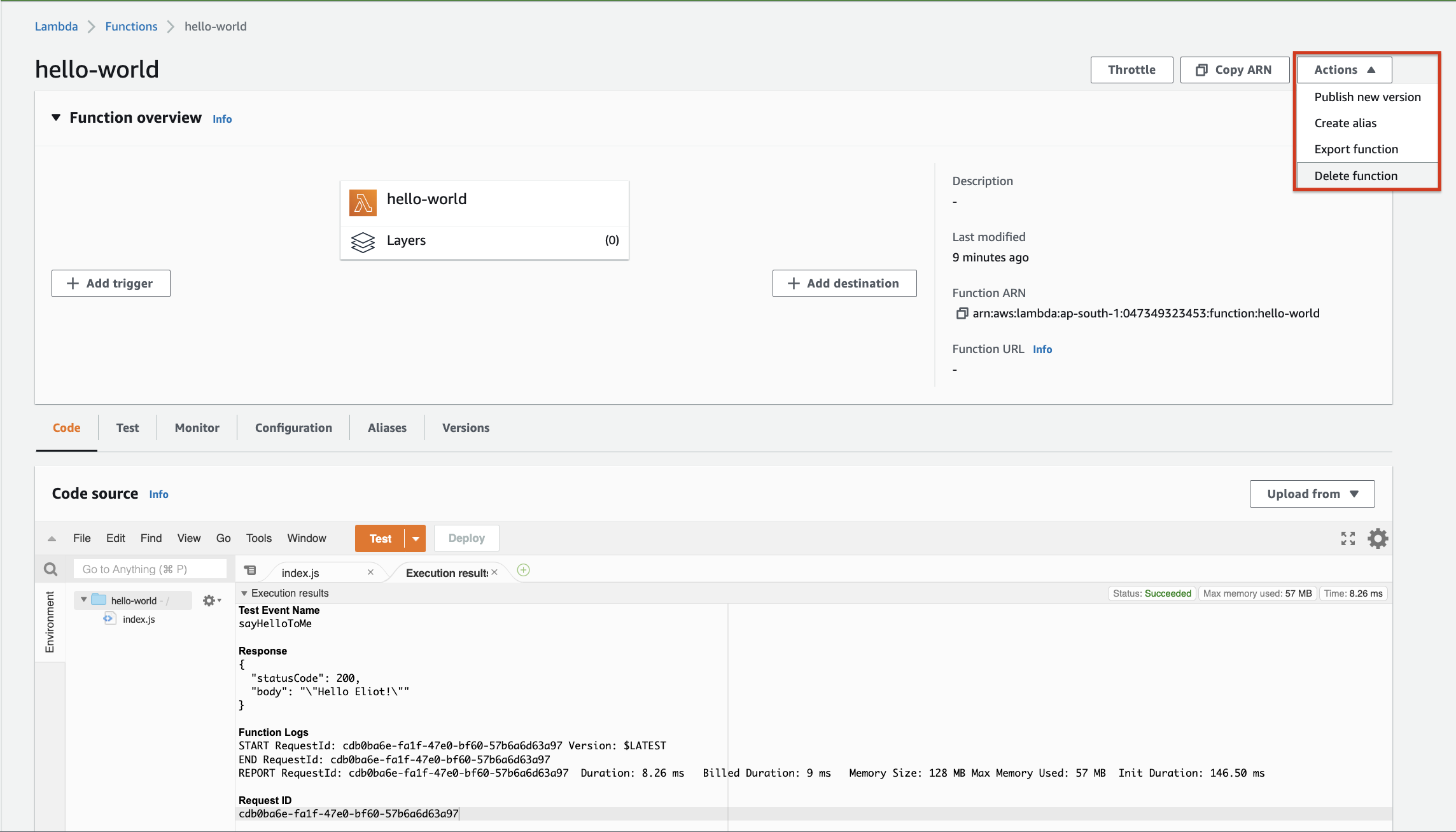
- Now that you have created a Lambda function and successfully tested it, you can delete it. On the top right, click the Action menu and choose the delete option.
现在您已经创建了一个 Lambda 函数并成功测试了它,您可以删除它。在右上角,点击操作菜单并选择删除选项。
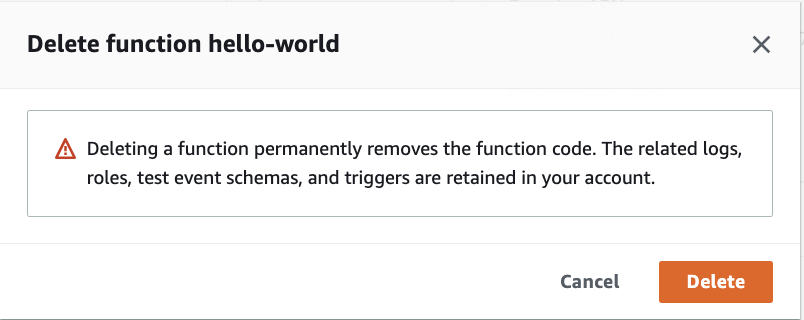
- When it asks for confirmation, you can confirm that you want to delete the action.
当提示确认时,您可以确认您想要删除该操作。
Congratulations! You just created your first AWS Lambda function.
恭喜!您刚刚创建了第一个 AWS Lambda 函数。