Module 01 · Getting Started with SQL
Hands-on Lab: COUNT, DISTINCT, LIMIT动手实验:COUNT,DISTINCT,LIMIT

**Estimated time needed:**30 minutes
预计所需时间:30 分钟
In this lab, you will learn a few useful expressions that are used with SELECT statements. First, you will learn COUNT, which is an aggregate function that retrieves the number of rows that matches the query criteria. Next, you will learn DISTINCT, which is used to remove duplicate values from a specified result set and only return the unique values. Lastly, you will learn LIMIT, which is used for restricting the number of rows retrieved from the table.
在这个实验中,你将学习一些与 SELECT 语句一起使用的有用表达式。首先,你将学习 COUNT,它是一个聚合函数,用于检索符合查询条件的行数。接下来,你将学习 DISTINCT,它用于从指定的结果集中删除重复值,并仅返回唯一值。最后,你将学习 LIMIT,它用于限制从表中检索的行数。
Software used in this lab 本实验使用的软件
In this lab, you will use Datasette, an open-source multi-tool for exploring and publishing data.
在本实验中,您将使用 Datasette,一个用于探索和发布数据的开源多工具有。
Database used in this lab 本实验使用的数据库
The database used in this lab comes from the following data set source: Film Locations in San Francisco under a PDDL: Public Domain Dedication and License.
本实验使用的数据库来源于以下数据集源:位于San Francisco的Public Domain奉献和许可下的电影拍摄地点数据集。
Objectives 目标
After completing this lab, you will be able to:
完成此实验后,您将能够:
- Retrieve the number of rows that match a query criteria
获取符合查询条件的行数 - Remove duplicate values from a result set and return the unique values
从结果集中删除重复值并返回唯一值 - Restrict the number of rows retrieved from a table
限制从表中检索的行数
Exploring the Database 探索数据库
Let us first explore the SanFranciscoFilmLocations database using the Datasette tool:
让我们首先使用Datasette工具来探索SanFranciscoFilmLocations 数据库:
- If the first statement listed below is not already in the Datasette textbox on the right, then copy the code below by clicking the little copy button on the bottom right of the code block and then paste it into the textbox of the Datasette tool using either Ctrl+V or right-click in the text box and choose Paste.
如果下面列出的第一个语句尚未出现在 Datasette 文本框中,则通过点击代码块右下角的复制小按钮复制下面的代码,然后使用Ctrl+V 或右键点击文本框并选择粘贴,将其粘贴到 Datasette 工具的文本框中。
SELECT * FROM FilmLocations;
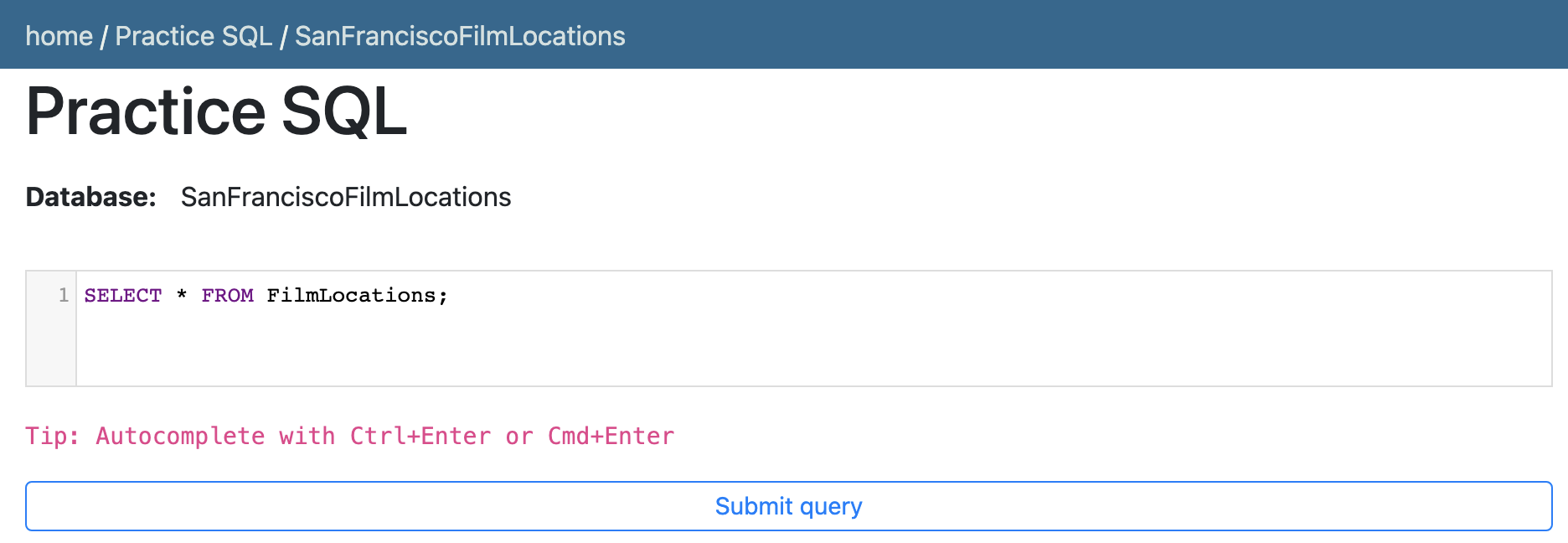
- Click Submit Query. 点击提交查询。
- Now, you can scroll down the table and explore all the columns and rows of the FilmLocations table to get an overall idea of the table.
现在,您可以向下滚动表格,探索 FilmLocations 表的所有列和行,以获得该表的总体印象。
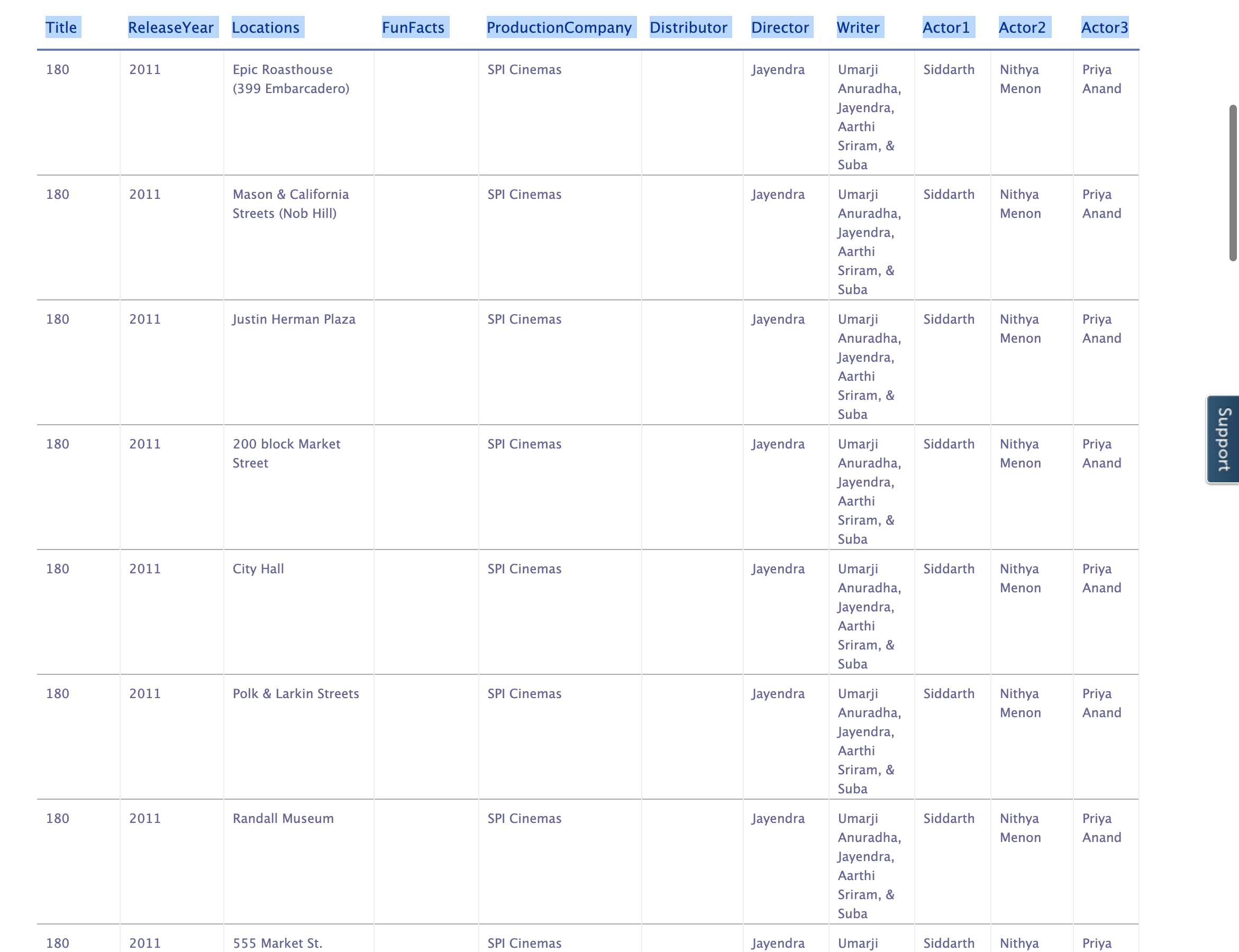
- These are the column attribute descriptions from the FilmLocations table:
以下是 FilmLocations 表的列属性描述:
FilmLocations(Title: titles of the films,ReleaseYear: time of public release of the films,Locations: locations of San Francisco where the films were shot,FunFacts: funny facts about the filming locations,ProductionCompany: companies who produced the films,Distributor: companies who distributed the films,Director: people who directed the films,Writer: people who wrote the films,Actor1: person 1 who acted in the films,Actor2: person 2 who acted in the films,Actor3: person 3 who acted in the films)
Using COUNT statement 使用 COUNT 语句
Let us go through some examples of COUNT-related queries.
让我们来看一些与 COUNT 相关的查询示例。
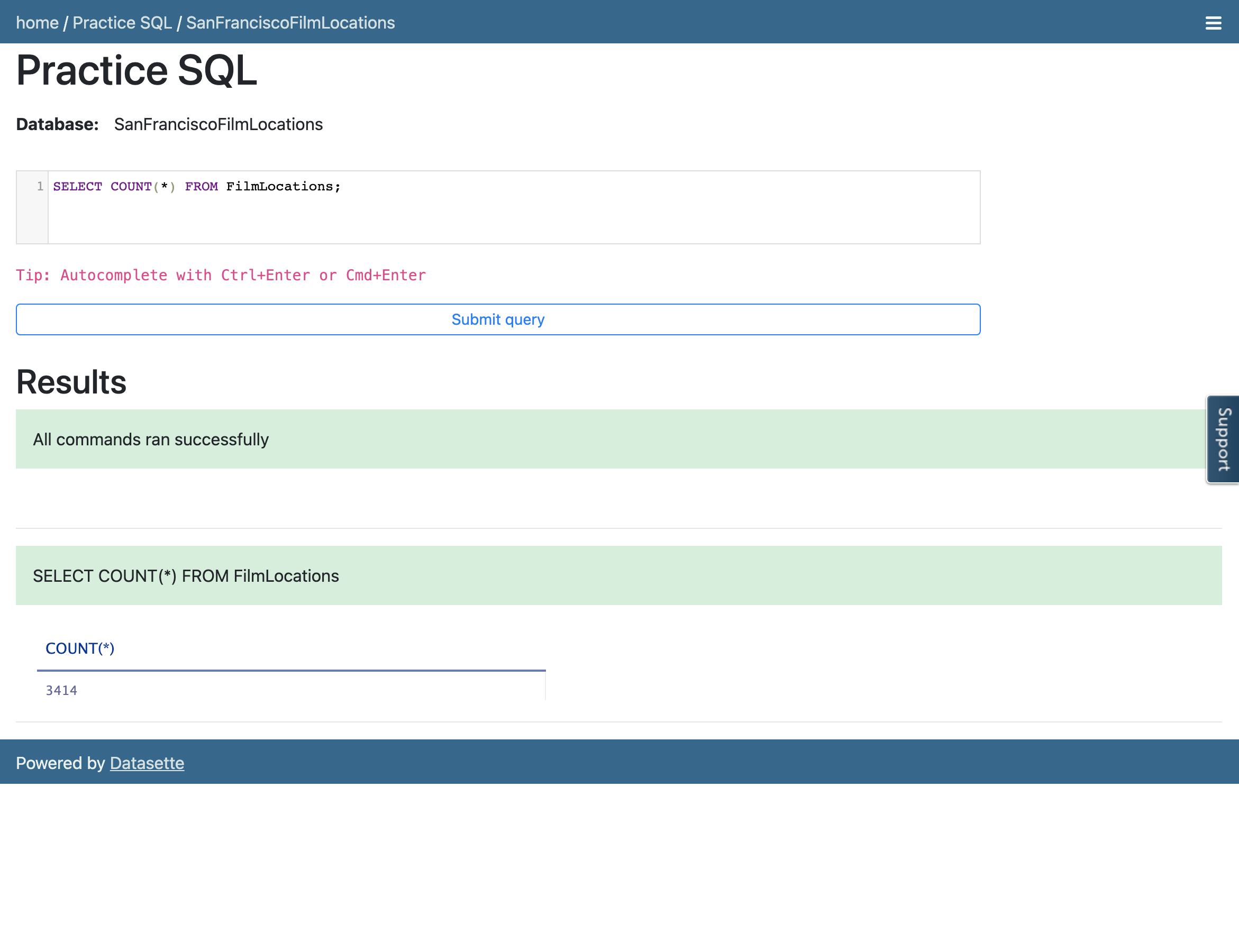
- Suppose we want to count the number of records or rows of the "FilmLocations" table. The query for this would be:
假设我们想要统计"FilmLocations"表中的记录或行数。执行此操作的查询语句为:
SELECT COUNT(*) FROM FilmLocations;
Copy the code above and paste it to the query box of the Datasette tool. Then click Submit query.
将上述代码复制并粘贴到 Datasette 工具的查询框中。然后点击提交查询。
Your output result set should look like the image below:
您的输出结果集应如下所示:
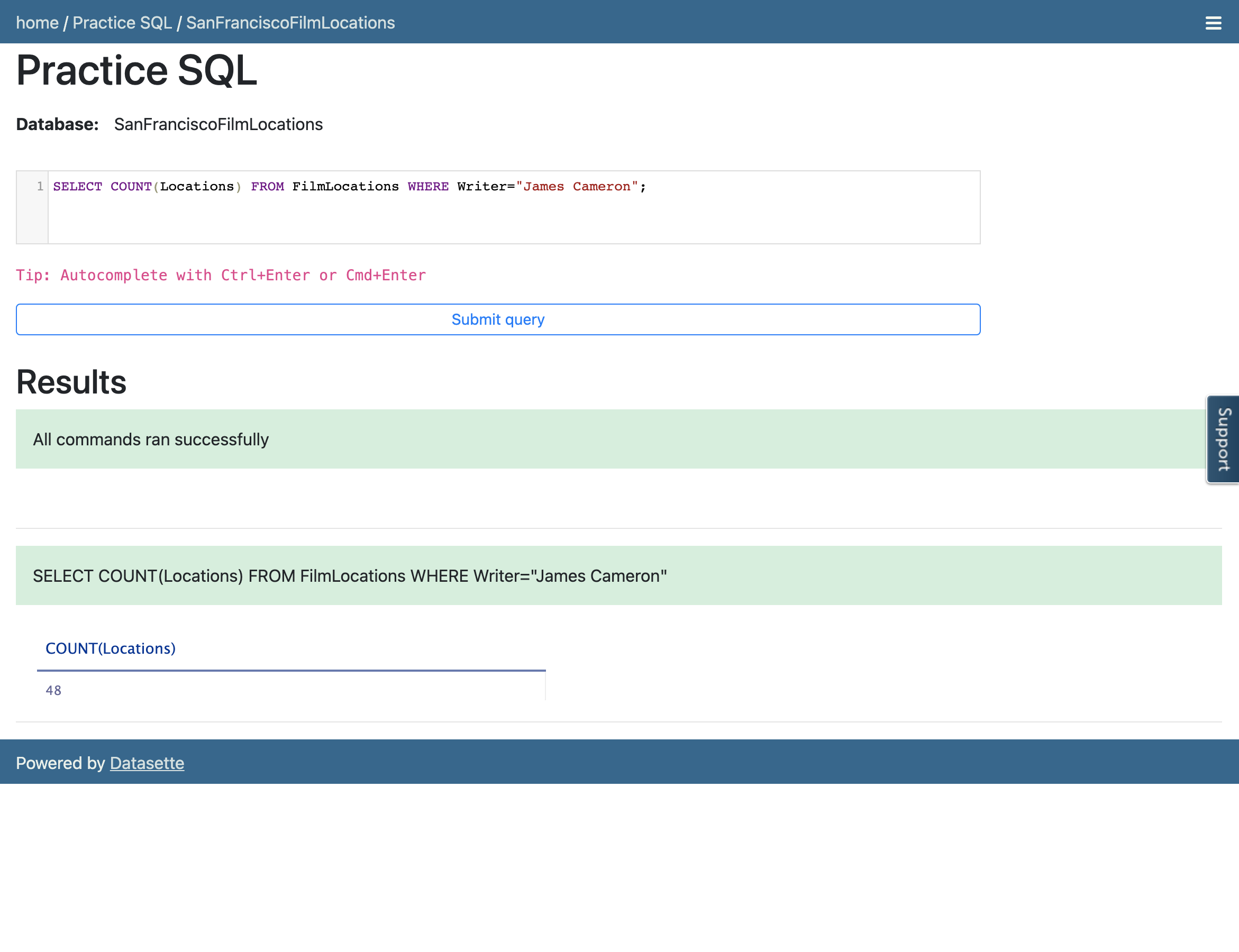
- We want to count the number of locations of the films. But we also want to restrict the output result set so that we only retrieve the number of locations of the films written by a certain writer. The query for this can be written as:
我们想要统计电影的位置数量。但我们还想限制输出结果集,以便我们只检索由某位作家撰写的电影的位置数量。这个查询可以写成:
SELECT COUNT(Locations) FROM FilmLocations WHERE Writer="James Cameron";
Copy the code above and paste it to the textbox of the Datasette tool. Then click Submit query.
将上述代码复制并粘贴到 Datasette 工具的文本框中。然后点击提交查询。
Using DISTINCT statement 使用 DISTINCT 语句
In this exercise, you will go through some examples of using DISTINCT in queries.
在这个练习中,你将学习如何在查询中使用 DISTINCT。
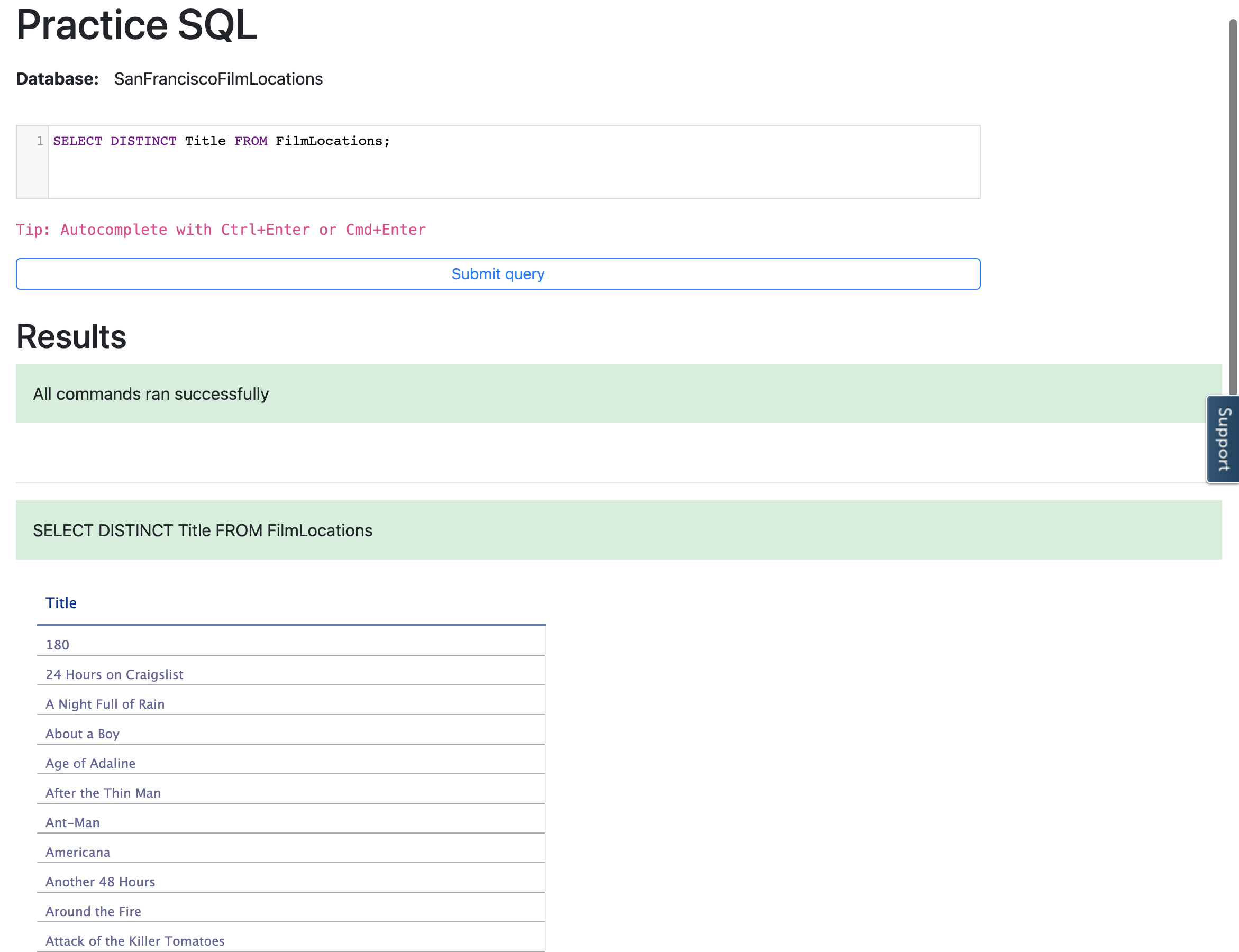
- Assume that we want to retrieve the titles of all films in the table so that duplicates will be discarded in the output result set.
假设我们想要检索表中所有电影的标题,以便在输出结果集中丢弃重复项。
SELECT DISTINCT Title FROM FilmLocations;
Copy the code above and paste it to the textbox of the Datasette tool. Then click Submit query.
将上述代码复制并粘贴到 Datasette 工具的文本框中。然后点击提交查询。
Your output resultset should look like the image below:
你的输出结果集应如下所示:
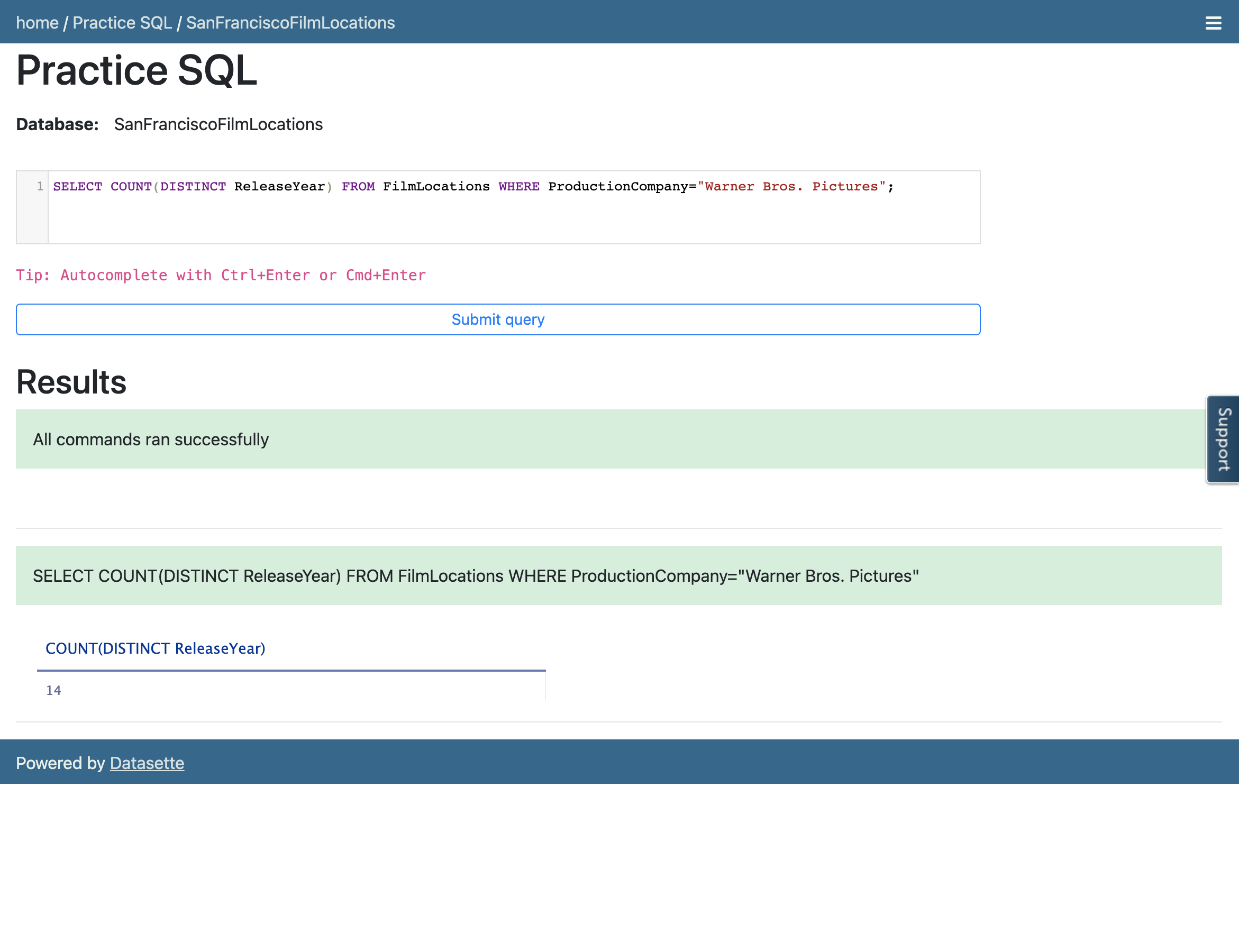
- We want to retrieve the count of release years of the films produced by a specific company so that duplicate release years of those films will be discarded in the count.
我们想要检索由特定公司制作的电影的发行年份数量,以便在计数中丢弃这些电影的重复发行年份。
SELECT COUNT(DISTINCT ReleaseYear) FROM FilmLocations WHERE ProductionCompany="Warner Bros. Pictures";
Copy the code above and paste it to the textbox of the Datasette tool. Then click Submit query.
将上述代码复制并粘贴到 Datasette 工具的文本框中。然后点击提交查询。
Your output resultset should look like the image below:
您的输出结果集应如下所示:
Using LIMIT statement 使用 LIMIT 语句
In this exercise, you will first go through some examples of using LIMIT in queries.
在这个练习中,你首先会学习一些在查询中使用 LIMIT 的例子。
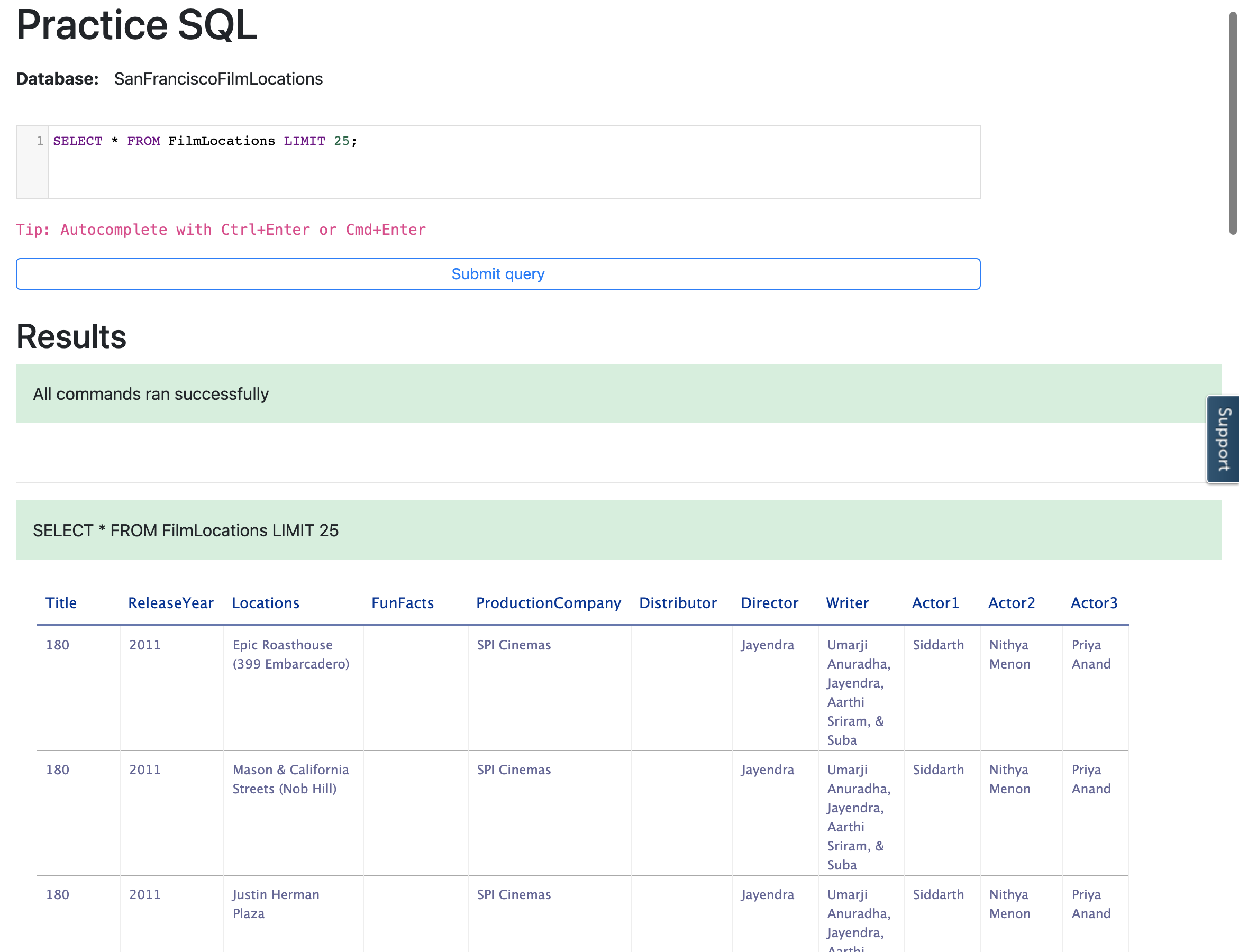
- Retrieve only the first 25 rows from the table so that rows other than those are not in the output result set.
从表中检索前 25 行,以便除这些行之外的其他行不在输出结果集中。
SELECT * FROM FilmLocations LIMIT 25;
Copy the code above and paste it to the textbox of the Datasette tool. Then click Submit query.
将上述代码复制并粘贴到 Datasette 工具的文本框中。然后点击提交查询。
Your output resultset should look like the image below:
你的输出结果集应如下所示:
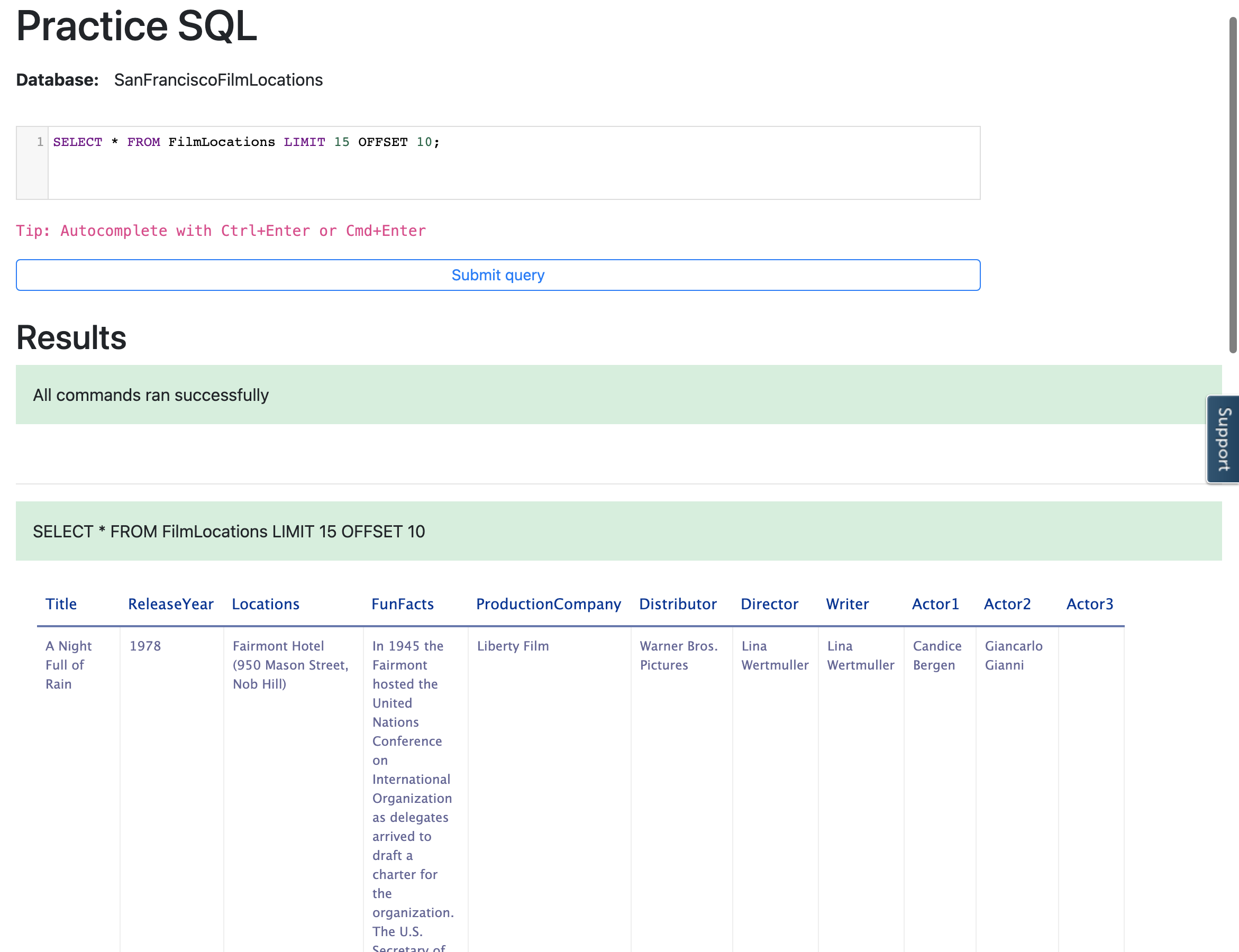
- Now, we want to retrieve 15 rows from the table starting from row 11.
现在,我们想要从第 11 行开始从表中检索 15 行。
SELECT * FROM FilmLocations LIMIT 15 OFFSET 10;
Copy the code above and paste it to the textbox of the Datasette tool. Then click Submit query.
将上述代码复制并粘贴到 Datasette 工具的文本框中。然后点击提交查询。
Your output resultset should look like the image below:
你的输出结果集应如下所示:
Practice exercises 练习题
COUNT 计数
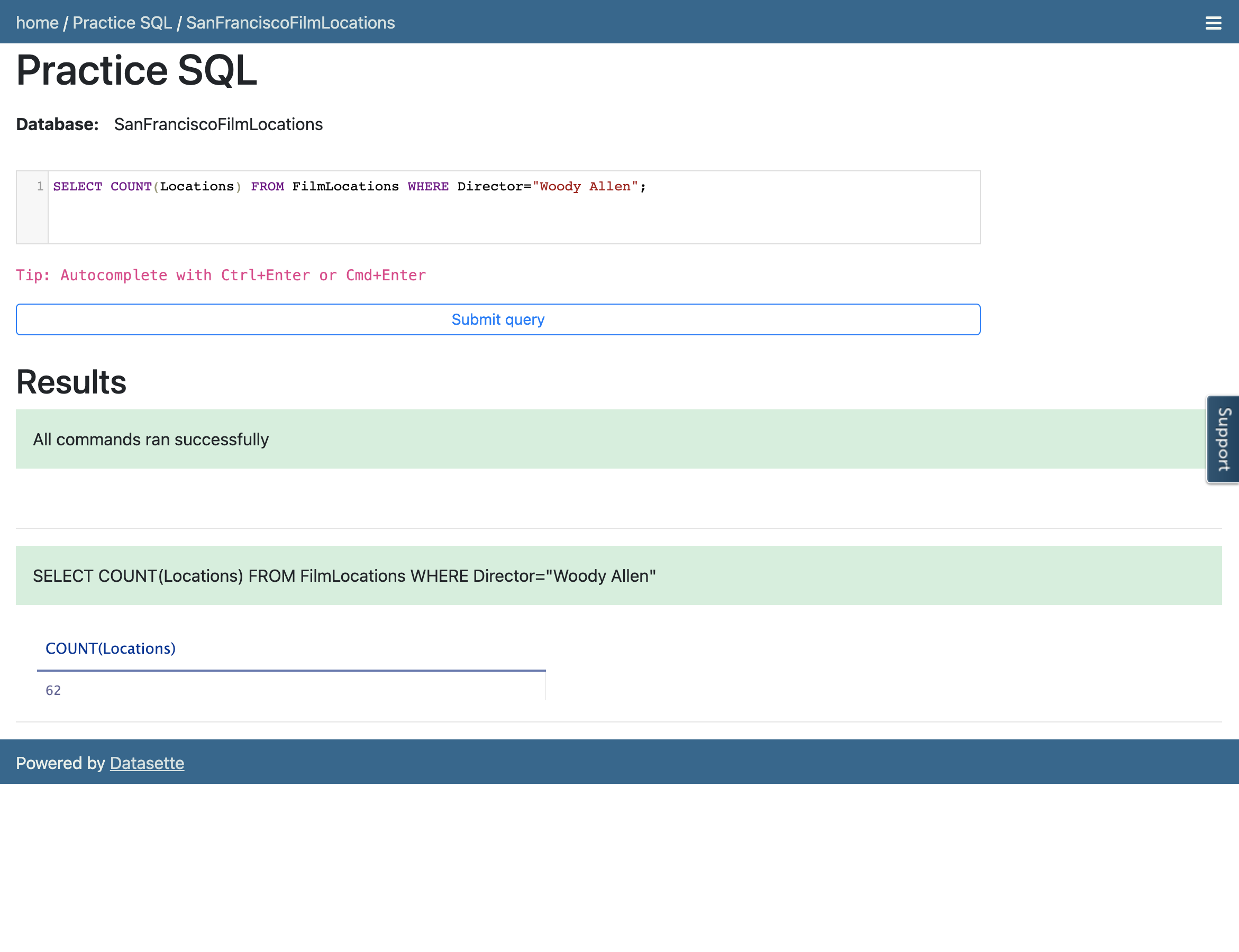
- Retrieve the number of locations of the films which are directed by Woody Allen.
检索由 Woody Allen 导演的电影的位置数量。
Hint 提示
Follow example 2 of the COUNT exercise. Use the WHERE clause comparison operator =, which means Equal to.
参考计数练习中的示例 2。使用 WHERE 子句比较运算符 = ,表示等于。
Query Solution 查询解决方案
SELECT COUNT(Locations) FROM FilmLocations WHERE Director="Woody Allen";
Output 输出
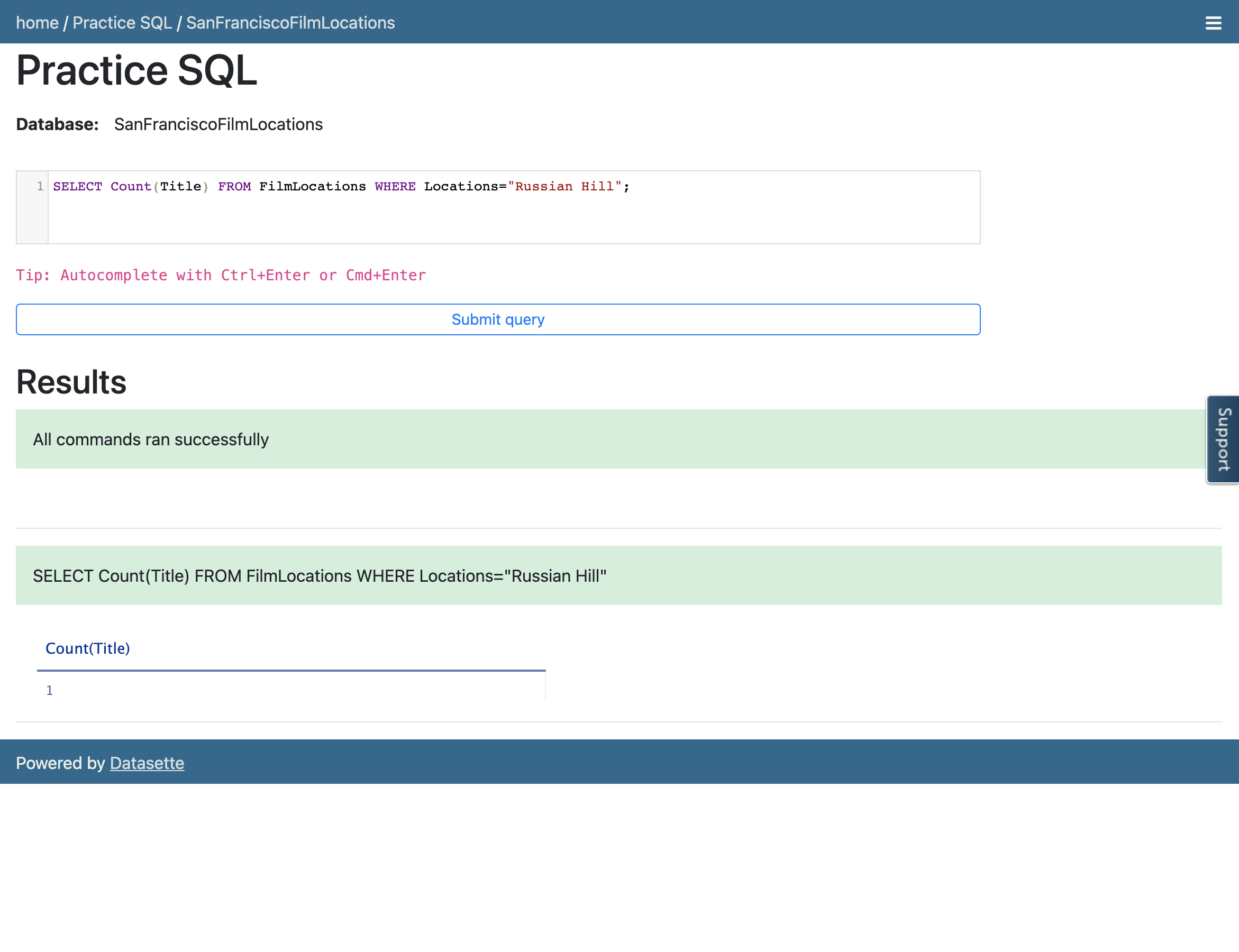
- Retrieve the number of films shot at Russian Hill.
检索在俄罗斯山拍摄的电影数量。
Hint 提示
Follow example 2 of the COUNT exercise. Use the WHERE clause comparison operator =, which means Equal to.
参照 COUNT 练习中的示例 2。使用 WHERE 子句比较运算符 = ,其含义为等于。
Query Solution 查询解决方案
SELECT Count(Title) FROM FilmLocations WHERE Locations="Russian Hill";
Output 输出
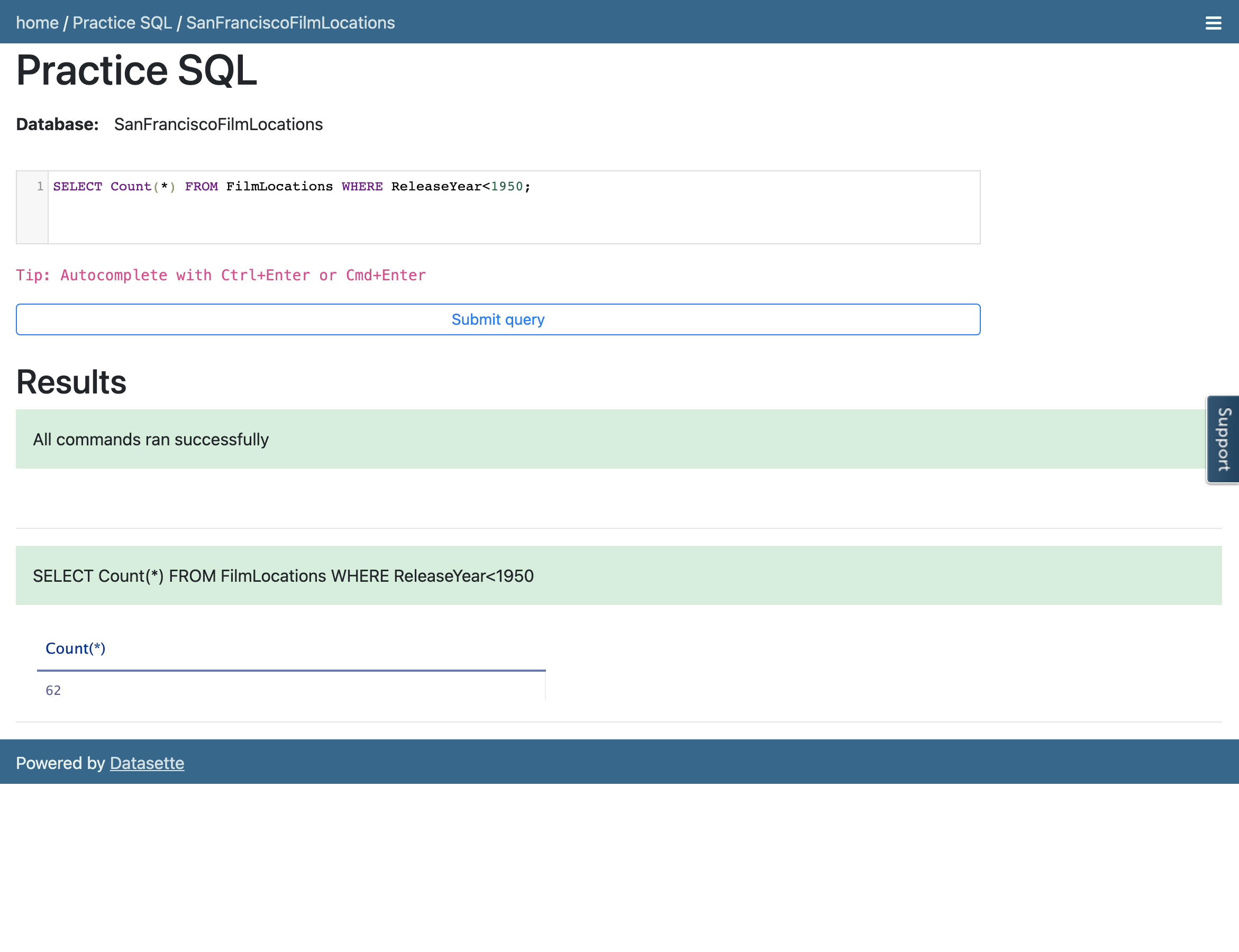
- Retrieve the number of rows having a release year older than 1950 from the "FilmLocations" table.
从"FilmLocations"表中检索发布年份早于1950的行数。
Hint 提示
Follow example 1 of the COUNT exercise. Use the WHERE clause comparison operator <, which means Less than.
按照 COUNT 练习的示例 1。使用 WHERE 子句比较运算符 < ,表示小于。
Query Solution 查询解决方案
SELECT Count(*) FROM FilmLocations WHERE ReleaseYear<1950;
Output 输出
Practice exercises 练习题
DISTINCT
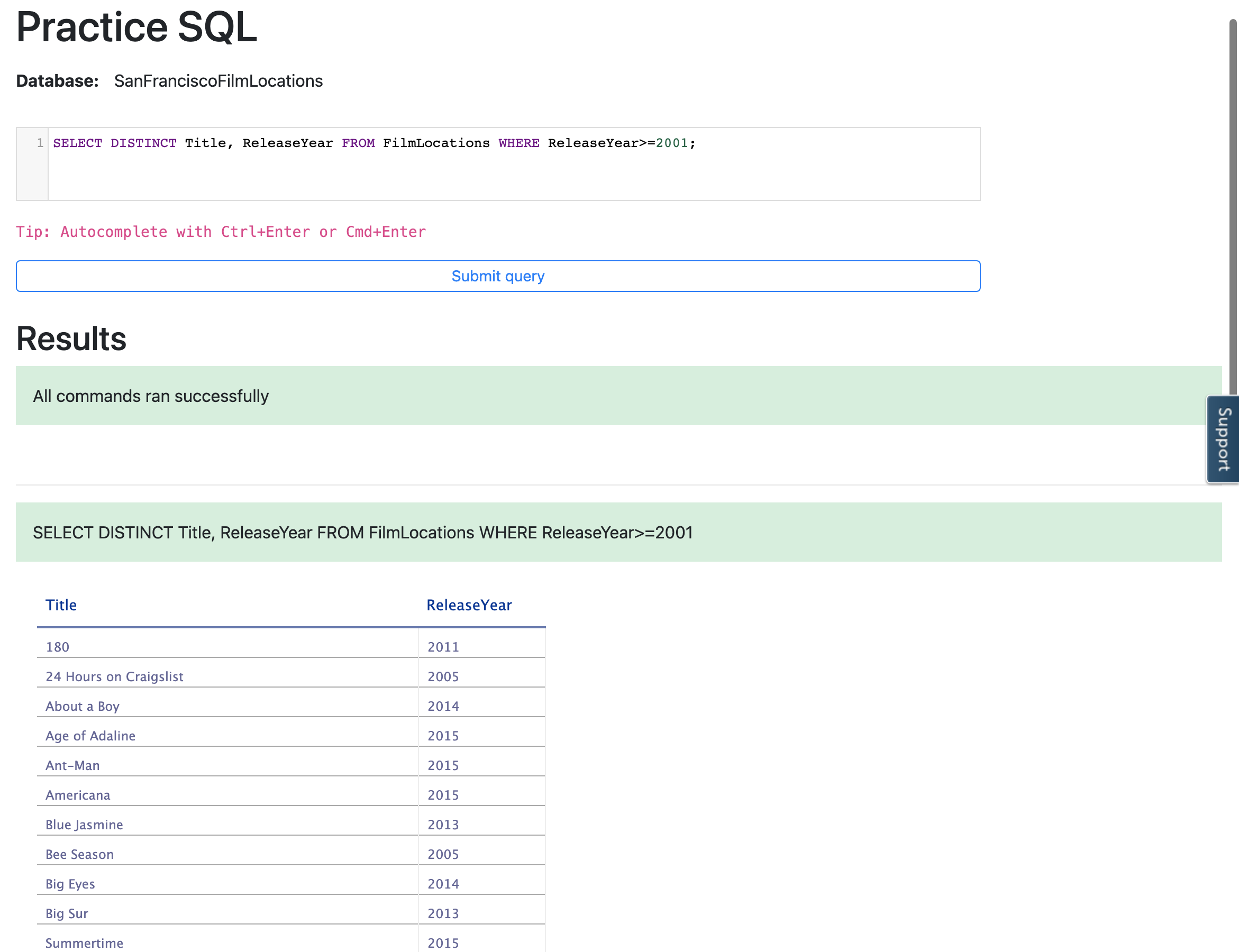
- Retrieve the names of all unique films released in the 21st century and onwards, along with their release years.
检索 21 世纪及以后上映的所有独特电影的名称及其上映年份。
Hint 提示
Follow example 1 of DISTINCT. Use WHERE clause comparison operator >=, which means Greater than or equal to.
参考 DISTINCT 示例 1。使用 WHERE 子句比较运算符 >= ,表示大于或等于。
Query Solution 查询解决方案
SELECT DISTINCT Title, ReleaseYear FROM FilmLocations WHERE ReleaseYear>=2001;
Output 输出
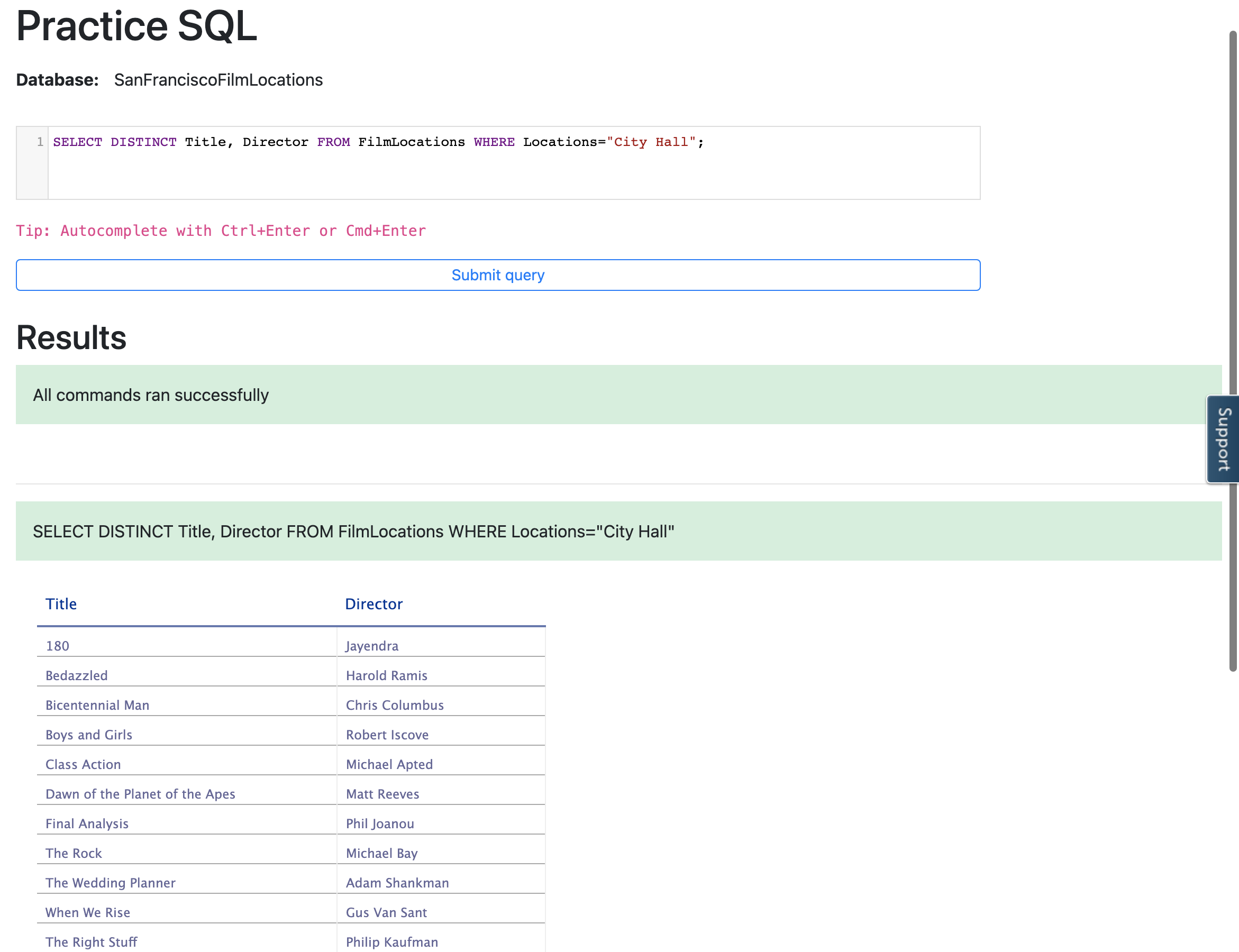
- Retrieve the directors' names and their distinct films shot at City Hall.
获取导演姓名及其在City Hall拍摄的独特影片。
Hint 提示
Follow example 1 of DISTINCT. Use WHERE clause comparison operator =, which means Equal to.
参考 DISTINCT 的示例 1。使用 WHERE 子句比较运算符 = ,表示等于。
Query Solution 查询解决方案
SELECT DISTINCT Title, Director FROM FilmLocations WHERE Locations="City Hall";
Output 输出
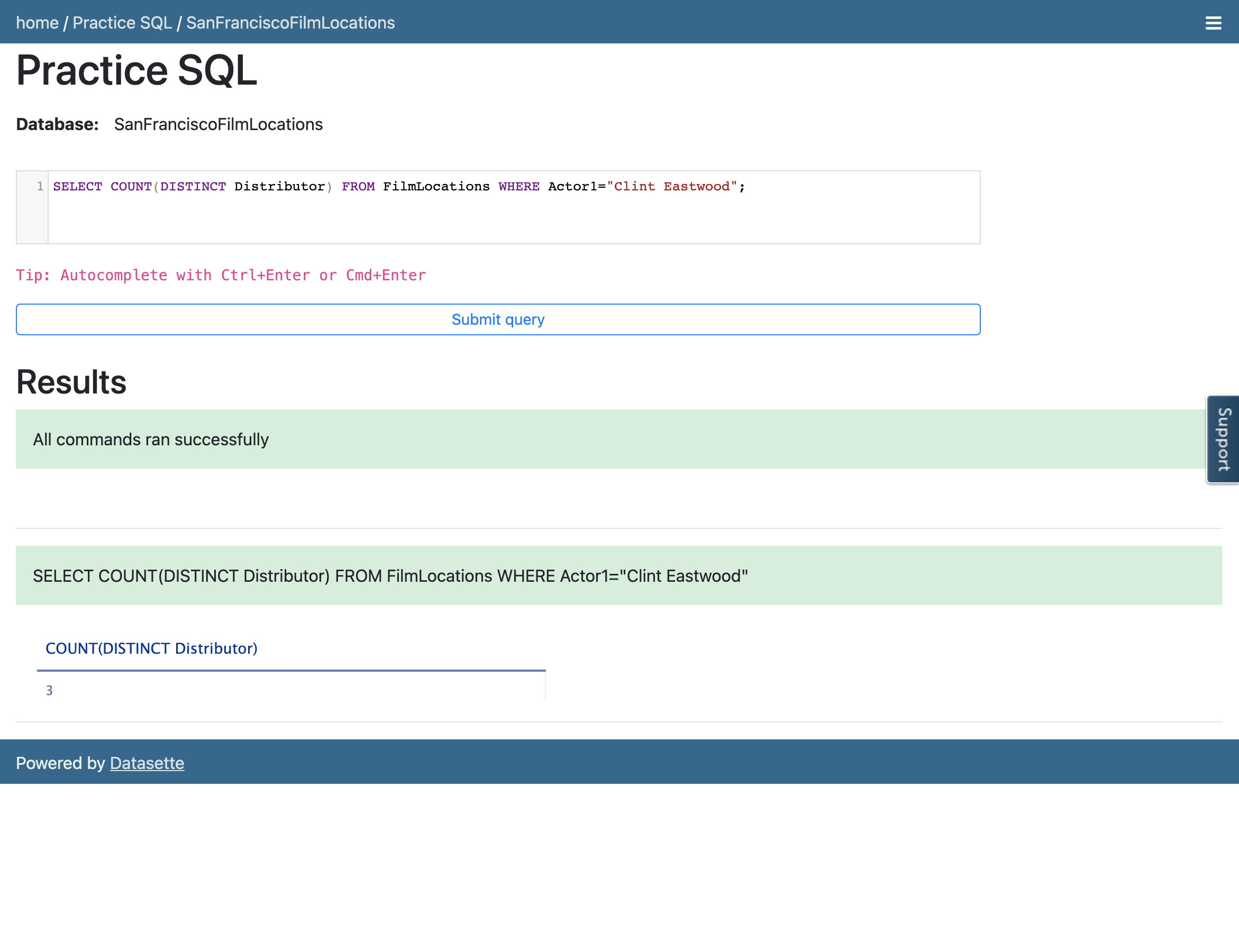
- Retrieve the number of distributors who distributed films with the 1st actor, Clint Eastwood.
检索与第 1 位演员,Clint Eastwood,发行过电影的分销商数量。
Hint 提示
Follow example 2 of DISTINCT. Use the WHERE clause comparison operator =, which means Equal to.
参考 DISTINCT 的第 2 个示例。使用 WHERE 子句的比较运算符 = ,表示等于。
Query Solution 查询解决方案
SELECT COUNT(DISTINCT Distributor) FROM FilmLocations WHERE Actor1="Clint Eastwood";
Output 输出
Practice exercises 练习题
LIMIT
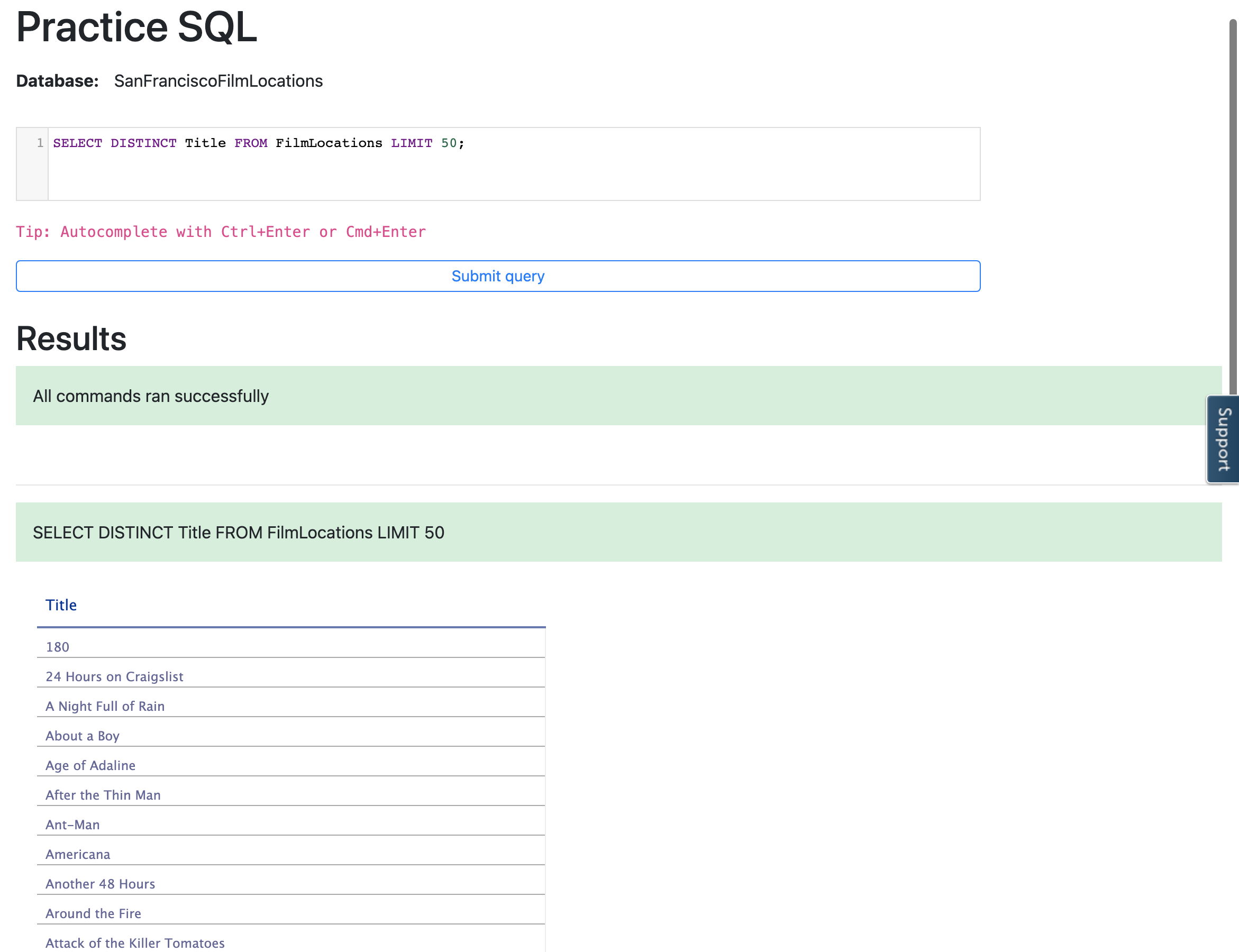
- Retrieve the names of the first 50 films.
检索前 50 部电影的名称。
Hint 提示
Follow example 1 of LIMIT. Use DISTINCT.
参考 LIMIT 示例 1,使用 DISTINCT。
Query Solution 查询解决方案
SELECT DISTINCT Title FROM FilmLocations LIMIT 50;
Output 输出
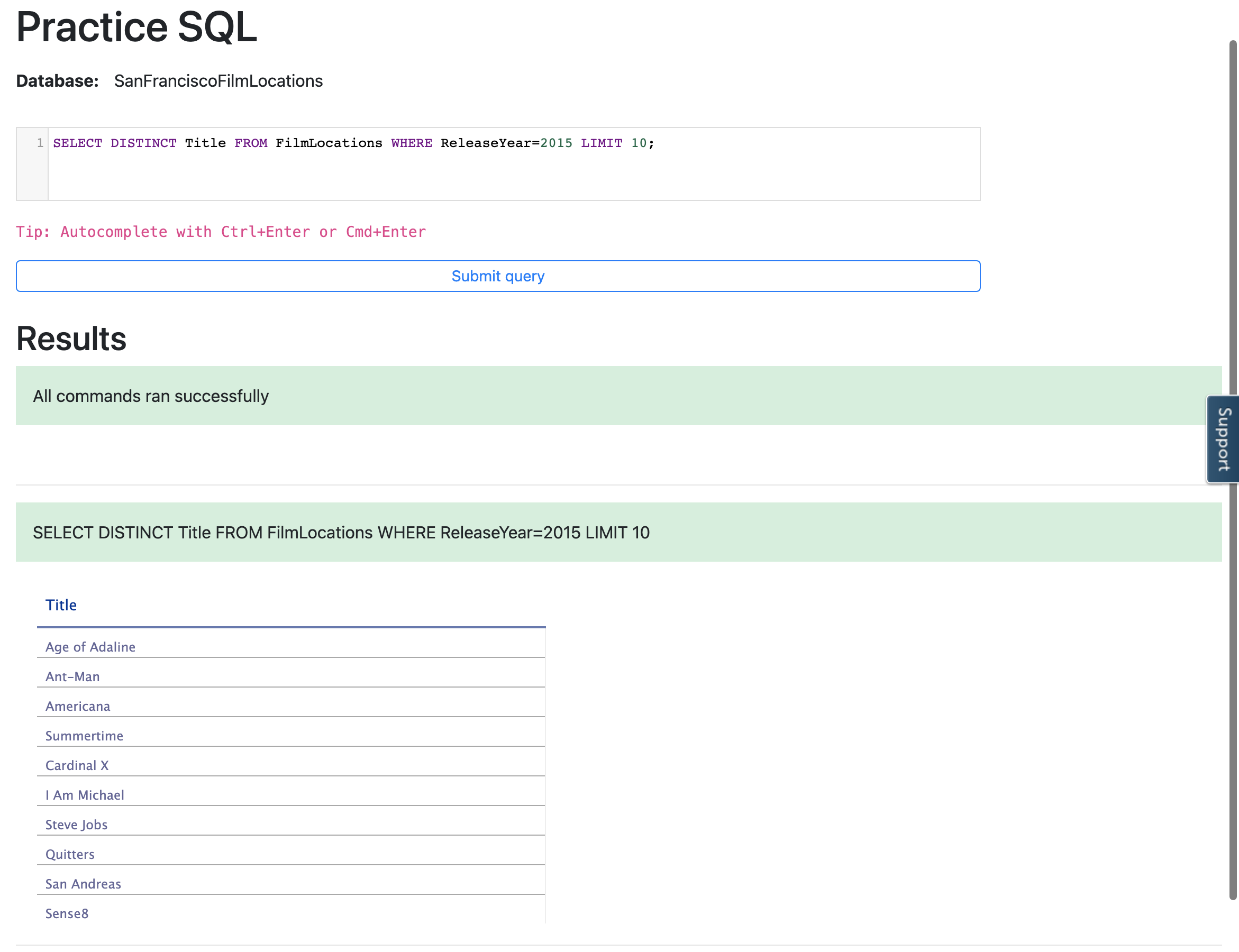
- Retrieve the first 10 film names released in 2015.
获取在2015中发布的头 10 个电影名称。
Hint 提示
Follow example 1 of LIMIT. Use DISTINCT. Use WHERE clause comparison operator =, which means Equal to.
按照 LIMIT 示例 1 使用。使用 DISTINCT。使用 WHERE 子句比较运算符 = ,表示等于。
Query Solution 查询解决方案
SELECT DISTINCT Title FROM FilmLocations WHERE ReleaseYear=2015 LIMIT 10;
Output 输出
- Retrieve the next 3 film names that follow after the first 5 films released in 2015.
获取在2015中发布的、在头 5 个电影之后的下一个 3 个电影名称。
Hint 提示
Follow example 2 of the LIMIT exercise to learn how to use OFFSET. Use DISTINCT and use the WHERE clause comparison operator =, which means Equal to.
参照 LIMIT 练习中的示例 2,学习如何使用 OFFSET。使用 DISTINCT,并使用 WHERE 子句比较运算符 = ,其含义为等于。
Query Solution 查询解决方案
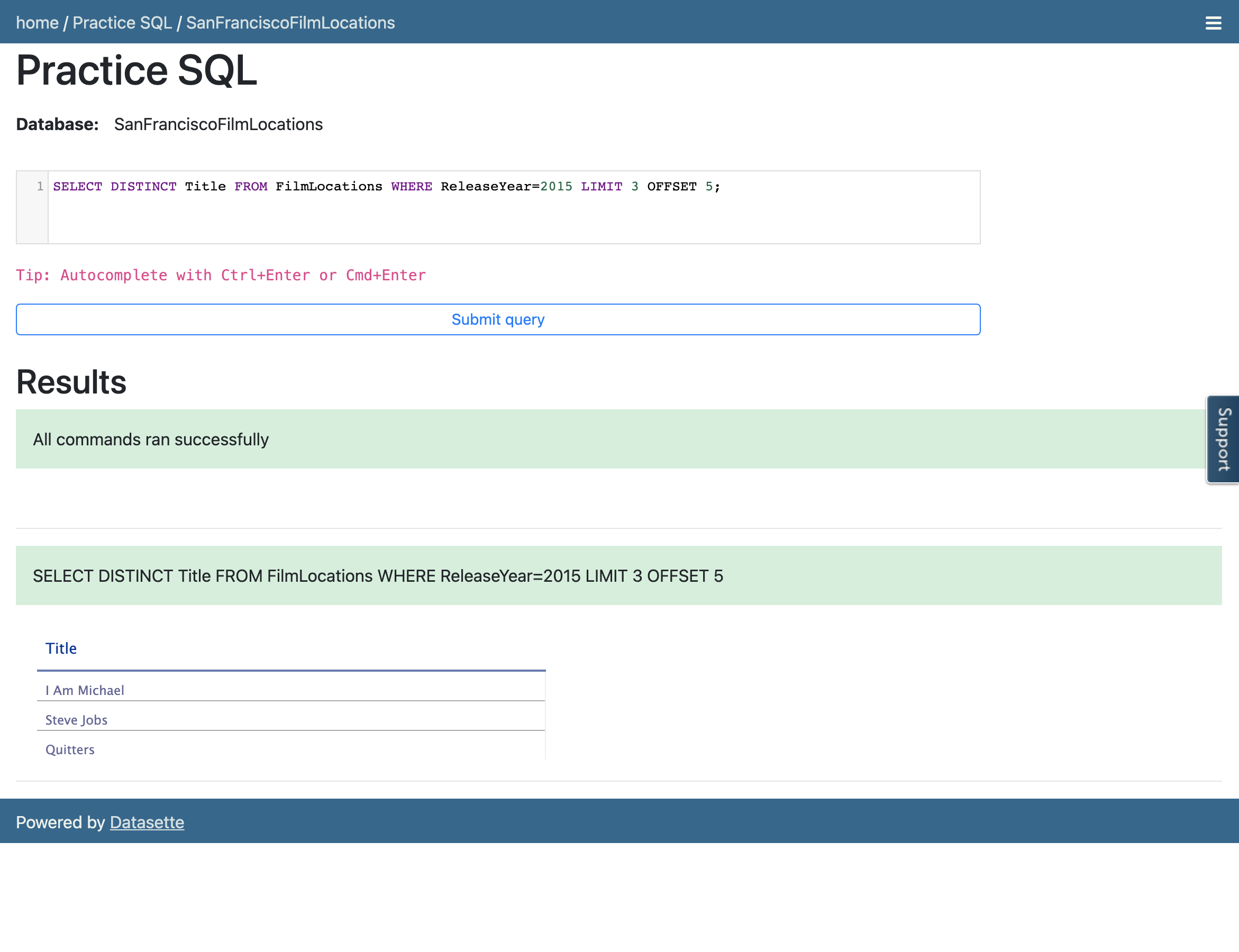
SELECT DISTINCT Title FROM FilmLocations WHERE ReleaseYear=2015 LIMIT 3 OFFSET 5;
Output 输出
Conclusion 结论
Congratulations! You have completed this lab.
恭喜!您已完成此实验。
You are now able to:
现在您可以:
- Use COUNT statements to determine the number of entries in a database based on filtering conditions.
使用 COUNT 语句根据过滤条件确定数据库中的条目数量。 - Use DISTINCT statements to determine the unique entries in a database based on filtering conditions.
使用 DISTINCT 语句根据过滤条件确定数据库中的唯一条目。 - Use LIMIT statements to restrict the response to a desired set of rows based on filtering conditions.
使用 LIMIT 语句根据过滤条件限制响应到期望的一组行。 - Use a combination of these statements to execute more complex queries on the database.
使用这些语句的组合来执行对数据库的更复杂的查询。